About Project & Task Manager for Consultants
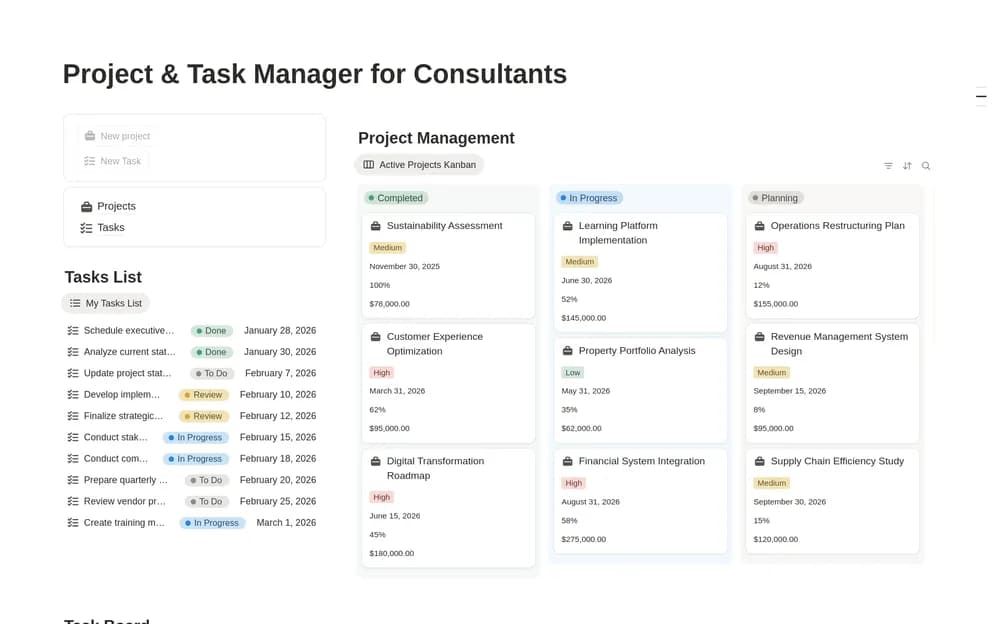
A task makes more sense when you can see the engagement it belongs to. This template focuses on that relationship for consultants. Use it to preserve the scope and immediate next step, and check how the creator’s layout handles work across multiple clients.
What’s included
- Project records with scope, client, status, and deadlines
- Task records with priorities and due dates
- Client overviews, progress tracking, and board, timeline, or workload views
How to use it in practice
Set up one engagement with a clear scope and completion condition. Break the next deliverable into tasks and check the workload view before assigning dates across clients. Keep changes to the agreed scope identifiable. Review progress using the remaining work as well as the dashboard’s status.
Set it up in your workspace
- Open the original Notion Marketplace listing and add the template to your chosen workspace while signed in. Keep its example records until you understand how the pages connect.
- Set up one current engagement and its next few actions. Review the work from the task view and the project view.
- Try one complete example before adding a large backlog. Check that its views and any calculations show what you expect, then replace the sample content with your own.
Who it suits and what to consider
Consultants juggling several pieces of client work. Suited to consultants managing concurrent engagements. Check the current offer and preview when selecting the template, since the public description uses premium wording.