About Real Estate Agent Transaction & Closing Tracker
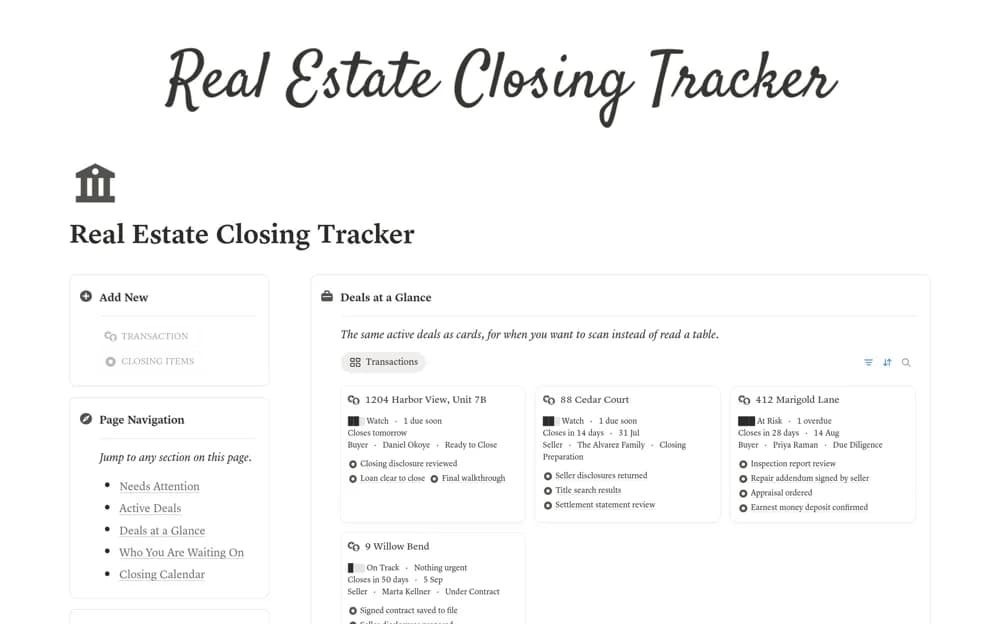
A real estate closing tracker linking active deals, contract deadlines, waiting items, and calculated attention flags.
What’s included
- Deal and deadline tracking
- Needs Attention and waiting-on views
- Closing calendar, closed-deal records, and contract-to-close checklists
How to use it in practice
Trial a completed deal and check how deadlines affect its attention state. Add responsible contacts and the source of each date before using live transactions. Review the morning list alongside your verified transaction controls and follow up through the appropriate professional channels.
Set it up in your workspace
- Open the original Notion Marketplace listing and add the template to your chosen workspace while signed in. Keep its example records until you understand how the pages connect.
- Trial a completed deal and check how deadlines affect its attention state.
- Try one complete example before adding a large backlog. Check that its views and any calculations show what you expect, then replace the sample content with your own.
Who it suits and what to consider
Real estate agents coordinating several under-contract transactions. Attention formulas summarize entered dates and states; they do not verify contractual deadlines or replace established closing procedures.