 Paid
Commercial Lease OS for Landlords
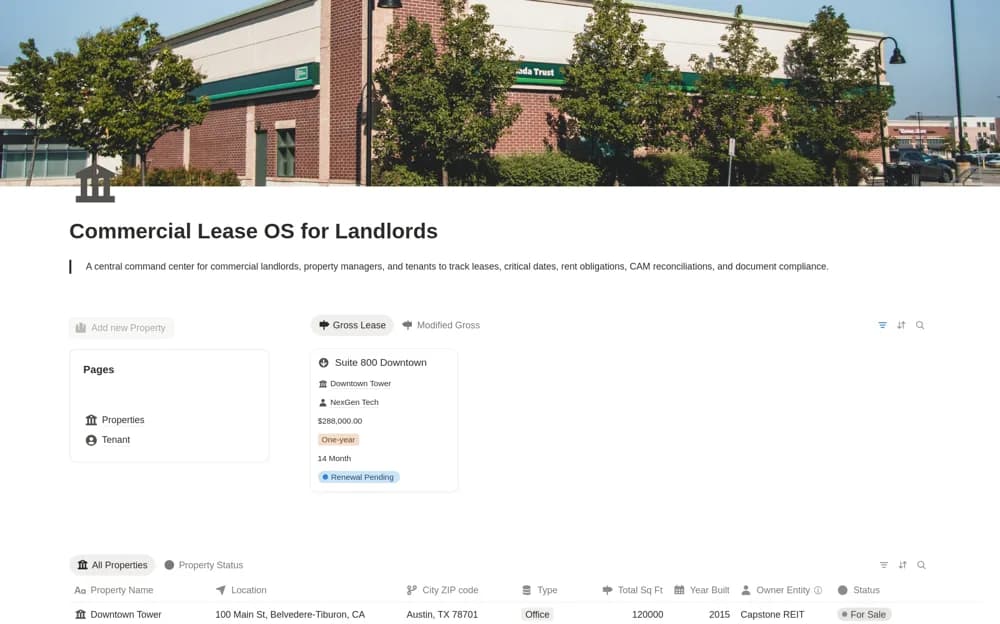
A paid commercial-property workspace for leases, renewal or expiration dates, rent obligations, common-area maintenance reconciliations, and related compliance documents.
Keep property records, lease dates, and ownership context easier to review. Explore Notion templates for managers organizing a portfolio and the recurring work behind each property.
Showing 1–4 of 4 templates
PaidA paid commercial-property workspace for leases, renewal or expiration dates, rent obligations, common-area maintenance reconciliations, and related compliance documents.
 Free
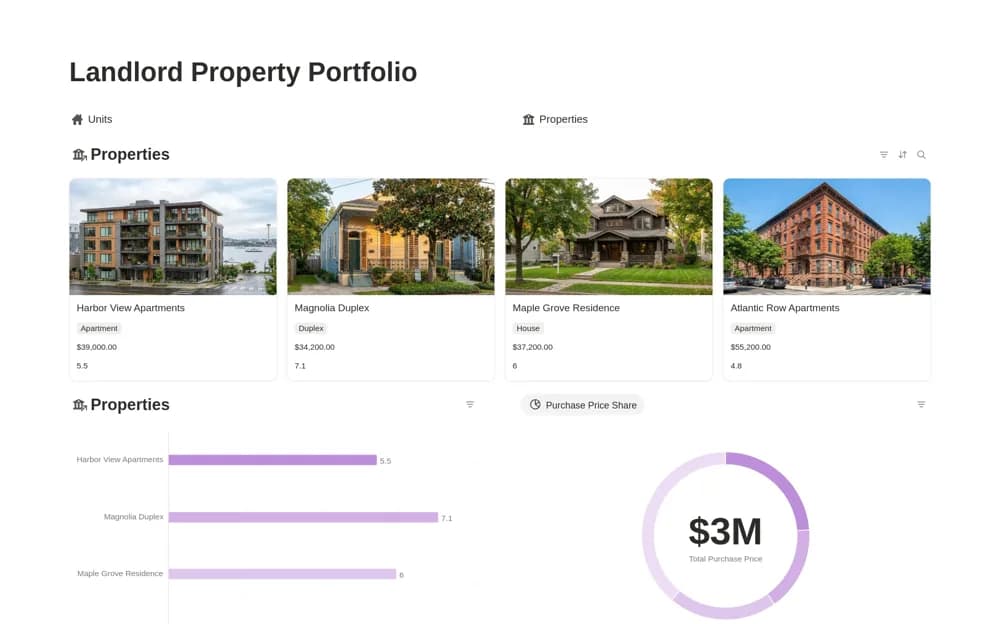
A property portfolio overview linking properties to units and calculating gross rental yield from purchase price and annual rent, with yield bands and visual comparison views.
 Free
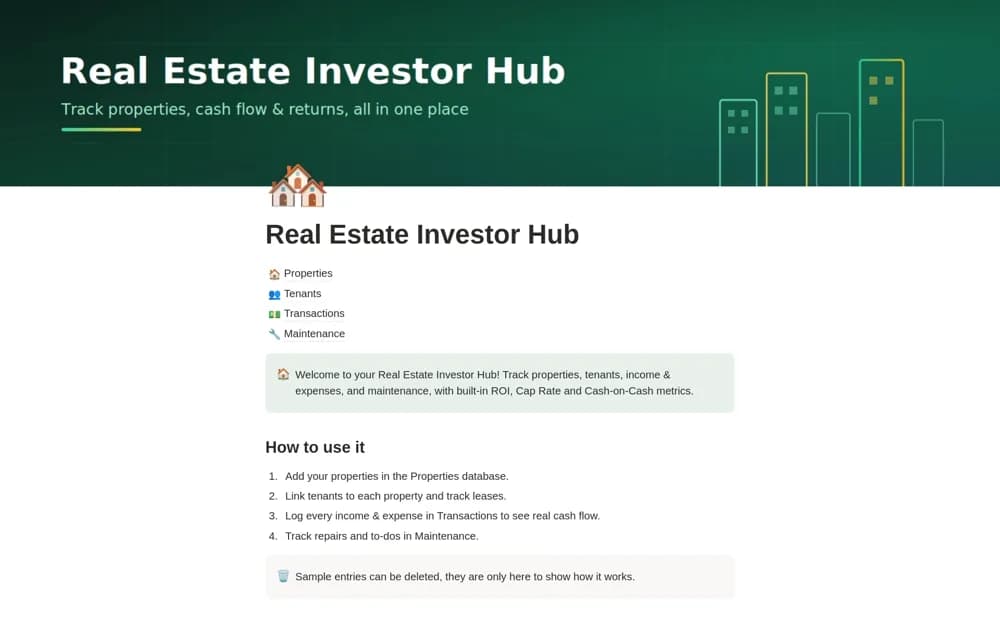
A rental-property workspace connecting properties, tenants, transactions, and maintenance, with property-level calculations for cash flow, cap rate, cash-on-cash return, and equity.
 Free
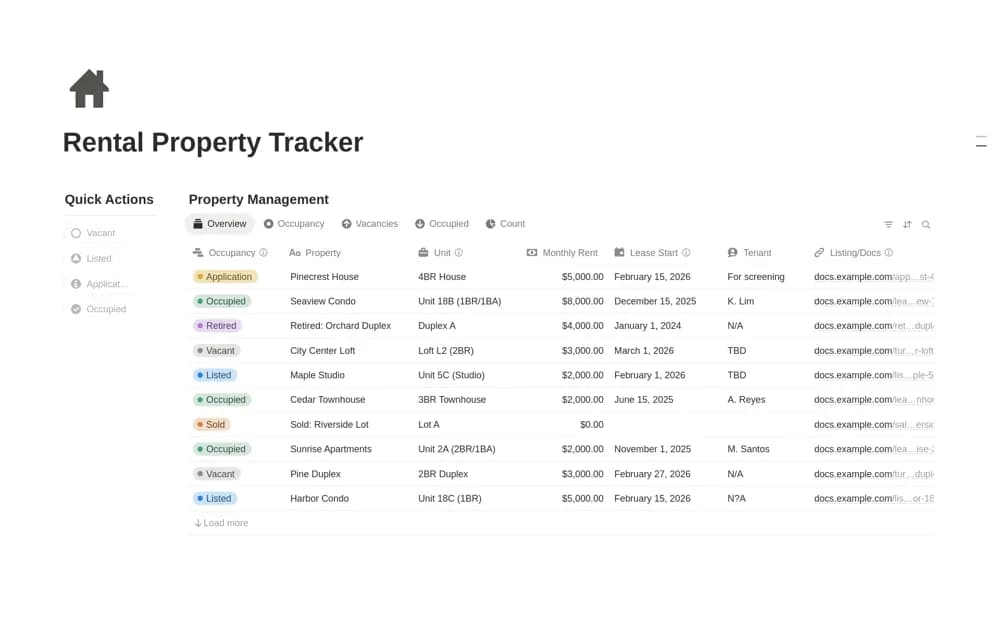
Keep rental property details, occupancy, rent records, and expenses together in Notion for a straightforward view of rental operations.
Compare the purpose and included features before choosing a workspace.
Commercial landlords and property managers coordinating obligations across lease agreements.
Landlords reviewing a portfolio or organizing a first comparison of a proposed property.
Landlords and rental-property owners organizing operational records alongside portfolio figures.
4 working templates from 4 creators: 3 free and 1 paid, with paid options from $9.98. Links last checked October 12, 2026.
| Template | Best for | Price | Creator |
|---|---|---|---|
| Commercial Lease OS for Landlords | Commercial landlords and property managers coordinating obligations across lease agreements. | $9.98 | Notionallity |
| Landlord Property Portfolio | Landlords reviewing a portfolio or organizing a first comparison of a proposed property. | Free | ZikoTemplates |
| Real Estate Investor Hub — Rental Property Tracker | Landlords and rental-property owners organizing operational records alongside portfolio figures. | Free | EL HASSAR |
| Rental Property Tracker | Property managers organizing a small portfolio’s day-to-day rental records. | Free | desbyseb |
Test a property with more than one unit or lease so you can see how the records relate. Put renewals and other time-sensitive actions in a view you will actually review. Keep signed documents linked to the right agreement and restrict private tenant information. Investment comparisons and commercial lease administration are different jobs; compare the template’s scope carefully before using it as your operating workspace.
Properties linked to units or leases
Critical dates and actions
Document and access organization
About the directoryOrganize property, unit, lease, and tenant context so a critical date can be traced to the correct record. Put renewal actions in a view reviewed regularly, with an accountable owner. Keep maintenance and payment questions visible after the original request. Restrict private documents and confirm that a shared property overview does not expose unrelated tenant information.
Jump straight to any listing in the collection.
A portfolio tool helps compare properties and returns. A lease workspace focuses on agreements, dates, obligations, and documents. Choose according to the work you need to manage and confirm whether maintenance or tenant records are included.
It depends on the job you need it to do. Good starting points in this collection include Commercial Lease OS for Landlords (commercial landlords and property managers coordinating obligations across lease agreements), Landlord Property Portfolio (landlords reviewing a portfolio or organizing a first comparison of a proposed property) and Real Estate Investor Hub — Rental Property Tracker (landlords and rental-property owners organizing operational records alongside portfolio figures). Compare the included features below, then try your first choice with a week of real information before moving everything across.
Yes. This collection currently includes 3 listings with a confirmed free creator offer, alongside 1 paid or freemium option. Use the Free filter to compare them. A free version can have different features from a creator’s paid upgrade, so check the original listing and current access terms before adding it to your workspace.