About Smart Activity Tracker Notion Template
This listing is a starting point for tracking how you spend your time or follow a routine. The source provides the creator link without a detailed feature breakdown. Check the preview for the exact fields and views before deciding what you want to record.
What’s included
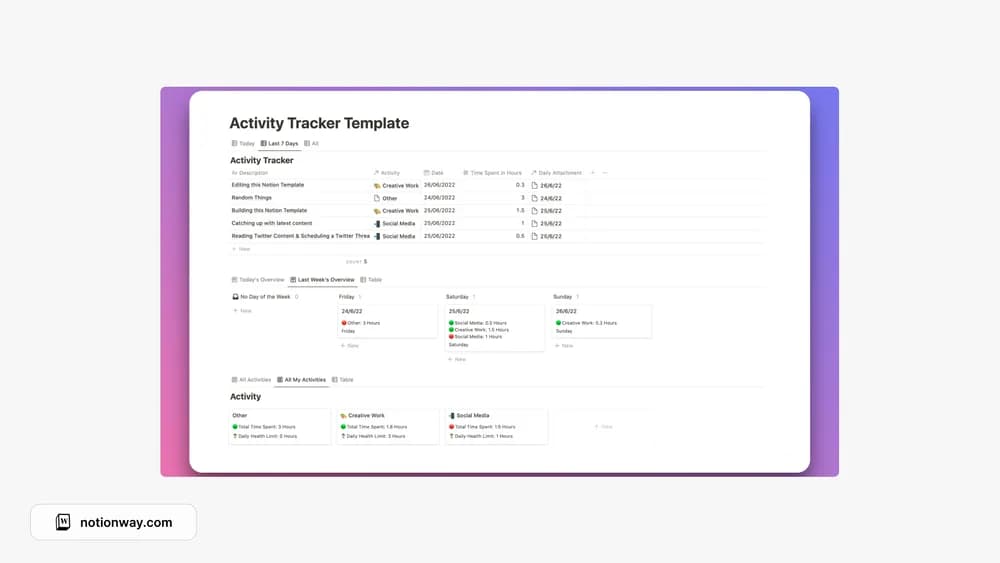
- An Activities database for defining what you track
- A Time Tracking database for logged sessions
- Daily and weekly analysis of time spent on activities
How to use it in practice
Choose a few activity names that answer a real question about your week. Log sessions consistently and avoid overlapping entries unless you deliberately track concurrent activity. Review the weekly analysis against what you intended to spend time on. If the totals look unusual, check missing or duplicated sessions before drawing conclusions about productivity.
Set it up in your workspace
- Follow the original creator’s checkout or access instructions to obtain the Notion page. Open that page while signed in, then duplicate it into the workspace you want to use.
- Pick one activity you already do regularly and try logging it for a week. Review whether the record helps you make a useful decision.
- Try one complete example before adding a large backlog. Check that its views and any calculations show what you expect, then replace the sample content with your own.
Who it suits and what to consider
People who want to make everyday activity more visible. A focused option for understanding how time is allocated. The public description emphasizes logging and analysis, so confirm any live timer requirement separately.