About Smart Planner
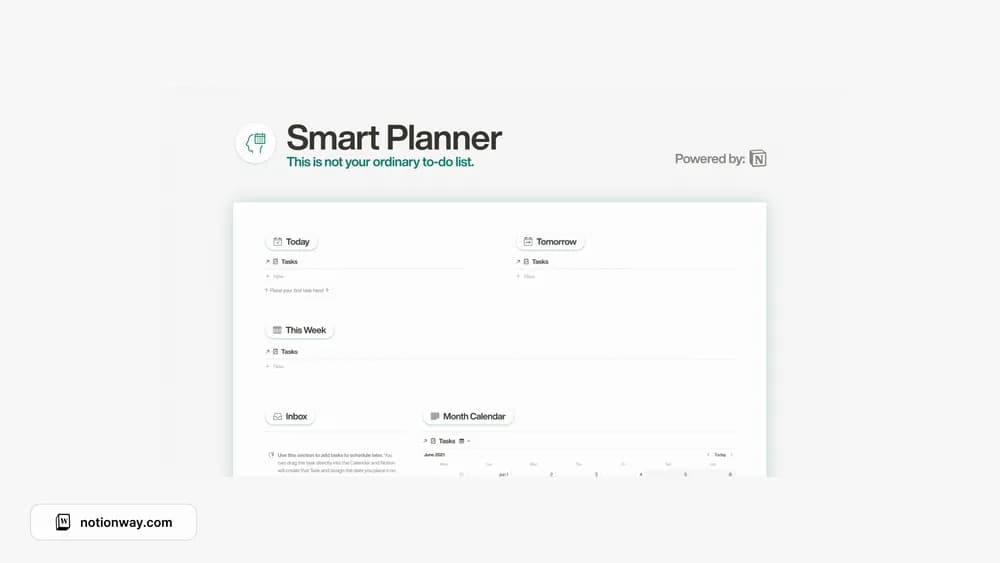
This planner is oriented around looking ahead and moving tasks when plans change. A calendar can help you notice an overloaded week. Keep appointments distinct from tasks that simply need time, and check how the layout behaves when several items share a date.
What’s included
- Today, tomorrow, week, month, and all-task views
- A task inbox and archive
- Task pages for notes and subtasks, plus a walkthrough
How to use it in practice
Capture incoming work in the inbox and schedule only after checking the time available. Use the weekly view to notice crowded days, then move a task in the calendar when the plan changes. Keep notes and subtasks inside the task page so the daily list stays readable. Review the inbox and archive regularly to separate unfinished work from material you only need as a record.
Set it up in your workspace
- Follow the original creator’s checkout or access instructions to obtain the Notion page. Open that page while signed in, then duplicate it into the workspace you want to use.
- Plan the next few days using your actual available time. Move one task to see how rescheduling feels.
- Try one complete example before adding a large backlog. Check that its views and any calculations show what you expect, then replace the sample content with your own.
Who it suits and what to consider
People who prefer a time-based view of their plans. Choose it for date-based task planning with several time horizons. Assigning a date is a commitment to review; it does not establish how long the work will take.