About Software Development Sprint Board
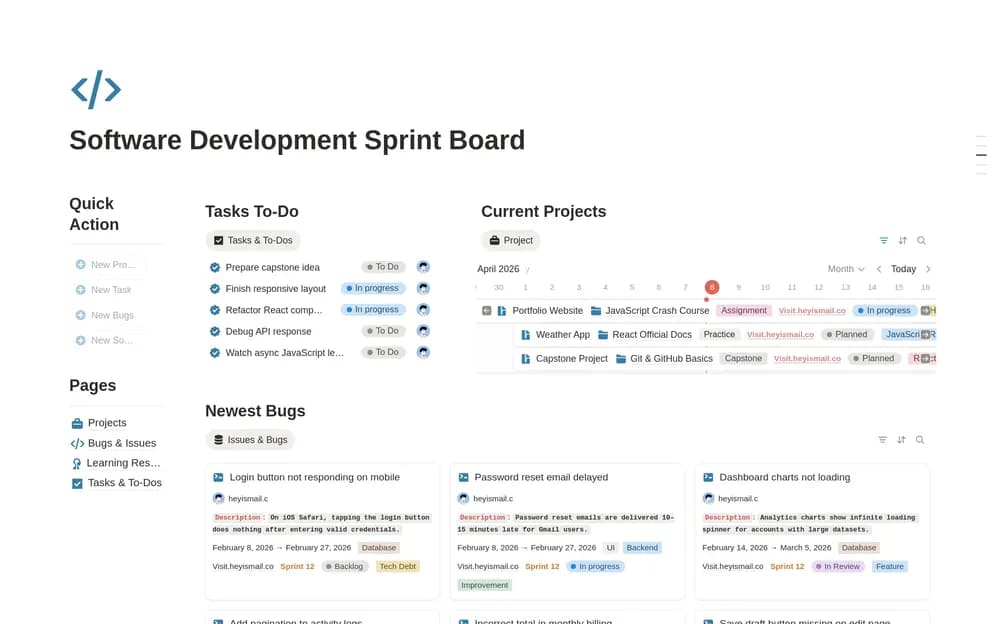
Run development sprints in Notion with connected projects, sprint tasks, a bug and issue log, saved learning resources, and a timeline calendar.
What’s included
- Projects database for development work
- Sprint task tracking with progress
- Bugs and issues log for blockers
- Learning resources library for tutorials and docs
- Calendar view of project timelines
How to use it in practice
Create one active project and break the next week of work into sprint tasks. Log any bug you hit during the week in the issues database and link it to the project. Save documentation you consult in the learning resources section, then review open bugs and unfinished tasks at the end of the sprint.
Set it up in your workspace
- Open the original Notion Marketplace listing and add the template to your chosen workspace while signed in. Keep its example records until you understand how the pages connect.
- Create one active project and break the next week of work into sprint tasks.
- Try one complete example before adding a large backlog. Check that its views and any calculations show what you expect, then replace the sample content with your own.
Who it suits and what to consider
Solo developers, computer science students, and small software teams organizing coding projects. The listing does not mention GitHub, GitLab, or other code-host integrations, so commits and pull requests are not linked automatically. Story points and velocity reporting are not described either.