About Subscription & Bill Tracker — Auto Due Dates
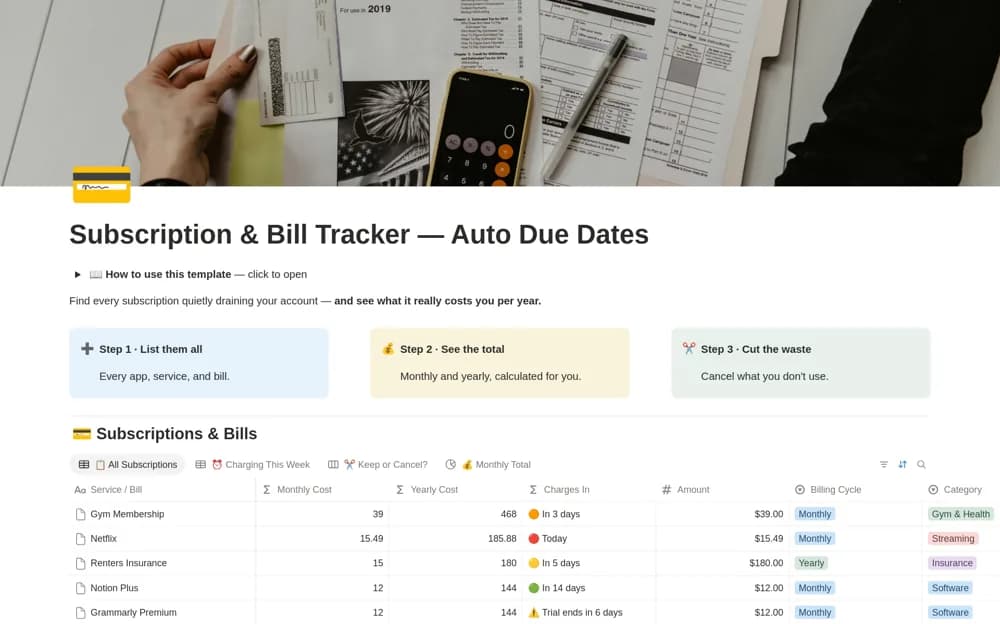
Review recurring bills in Notion with rolling due dates, comparable monthly and annual costs, trial flags, and a keep-or-cancel board.
What’s included
- Formula-based rolling billing dates
- Monthly and annual cost comparisons
- Upcoming-charge and trial views
- Subscription decision board and audit checklist
How to use it in practice
Enter one bill using its actual billing cycle and next charge date, then check the displayed monthly equivalent. Add trial end dates carefully and review the upcoming-charge list each week. If you decide to cancel, complete the provider’s process and record the confirmation rather than relying on a board status.
Set it up in your workspace
- Open the original Notion Marketplace listing and add the template to your chosen workspace while signed in. Keep its example records until you understand how the pages connect.
- Enter one bill using its actual billing cycle and next charge date, then check the displayed monthly equivalent.
- Try one complete example before adding a large backlog. Check that its views and any calculations show what you expect, then replace the sample content with your own.
Who it suits and what to consider
People reviewing subscriptions and recurring household charges on a regular schedule. Formula dates do not confirm that a payment happened. Cancellation, refunds, and bank notifications remain with the provider or your payment service.