About Subscription Manager
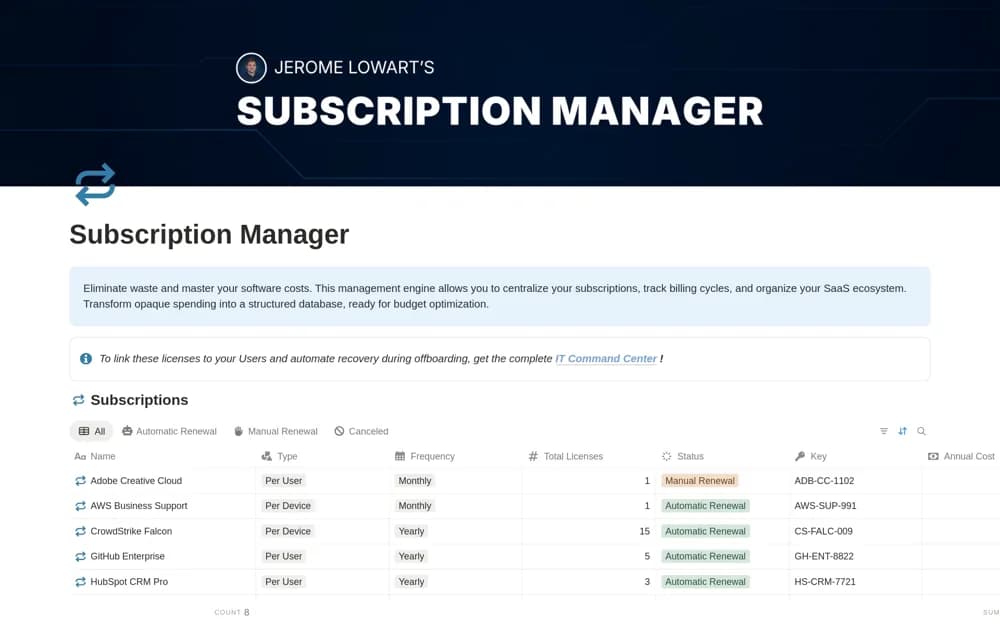
A software subscription register for vendor details, recurring costs, contract information, categories, and renewal dates.
What’s included
- Central software and contract repository
- Monthly or annual cost tracking
- Renewal dates and tool-category segmentation
How to use it in practice
List a small set of actual subscriptions and verify billing frequency and renewal terms. Assign an owner and a decision date early enough to act before any notice period. Compare the register with invoices regularly and remove cancelled items only after retaining needed history.
Set it up in your workspace
- Open the original Notion Marketplace listing and add the template to your chosen workspace while signed in. Keep its example records until you understand how the pages connect.
- List a small set of actual subscriptions and verify billing frequency and renewal terms.
- Try one complete example before adding a large backlog. Check that its views and any calculations show what you expect, then replace the sample content with your own.
Who it suits and what to consider
Businesses reviewing software commitments and upcoming renewal decisions. Employee-license connections and automated recovery are described as part of the separate IT Command Center.