About Supplier Order Tracker
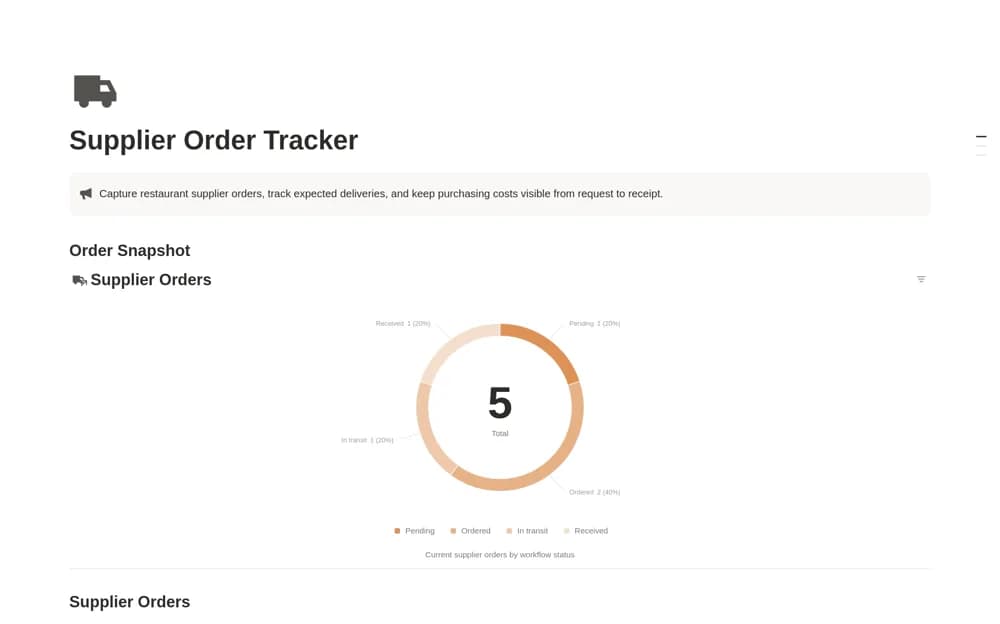
Track restaurant supplier orders in Notion with order dates, expected deliveries, purchasing totals, and a request-to-receipt status view.
What’s included
- Supplier order database
- Order and expected-delivery dates
- Order totals and purchasing categories
- Pending-to-received status overview
How to use it in practice
Enter an open supplier order from the actual purchase details and confirm its expected arrival. Update the status after placing the order, then compare the delivered goods with the request before marking it received. Review outstanding deliveries before the next service or purchasing cycle.
Set it up in your workspace
- Open the original Notion Marketplace listing and add the template to your chosen workspace while signed in. Keep its example records until you understand how the pages connect.
- Enter an open supplier order from the actual purchase details and confirm its expected arrival.
- Try one complete example before adding a large backlog. Check that its views and any calculations show what you expect, then replace the sample content with your own.
Who it suits and what to consider
Restaurant managers and hospitality purchasing teams coordinating recurring vendor deliveries. This is a purchasing queue. It does not automatically order stock, reconcile supplier invoices, or maintain ingredient quantities on hand.