About The Journalist's Hub
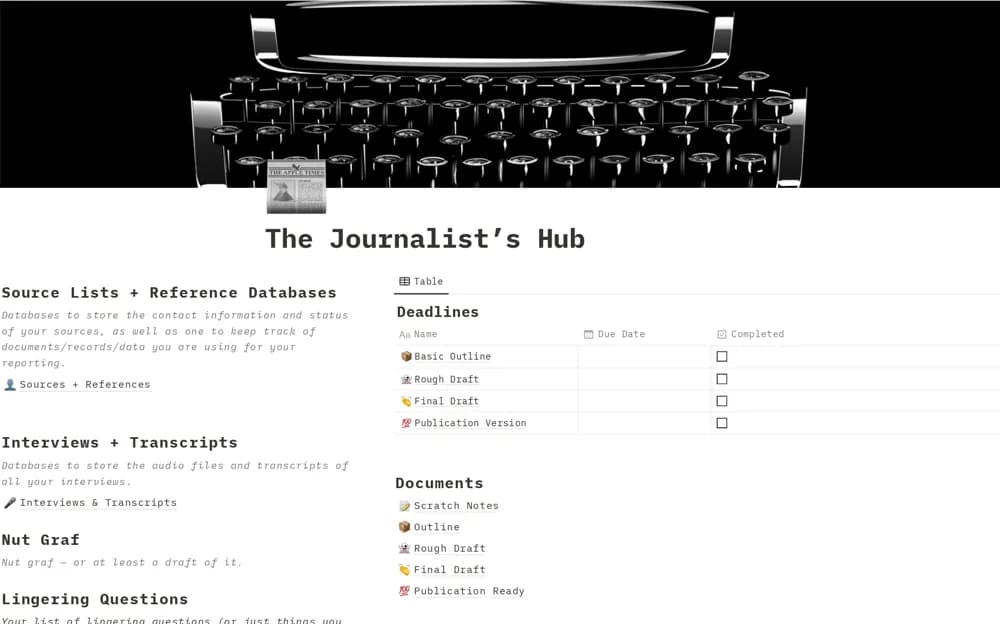
A journalism workspace for sources, interviews, story structure, draft stages, lingering questions, pitches, and deadlines.
What’s included
- Source, interview, timeline, character, and location records
- Nut-graf, outline, question, and draft sections
- Pitch space and publication-outreach database
How to use it in practice
Choose one story and record the central question before collecting supporting material. Keep claims linked to evidence and use the lingering-questions area to plan further reporting. Track the pitch destination and actual submission state separately from the draft’s readiness.
Set it up in your workspace
- Open the original Notion Marketplace listing and add the template to your chosen workspace while signed in. Keep its example records until you understand how the pages connect.
- Choose one story and record the central question before collecting supporting material.
- Try one complete example before adding a large backlog. Check that its views and any calculations show what you expect, then replace the sample content with your own.
Who it suits and what to consider
Reporters and freelance journalists organizing complex stories from research to submission. Review source confidentiality and publication agreements before sharing any reporting workspace.