About The KEE productivity system
A named productivity system can offer a useful organizing principle, but it still needs to fit your work. The source links to the KEE system without a full specification. Start by understanding the creator’s intended routine rather than rearranging the entire template immediately.
What’s included
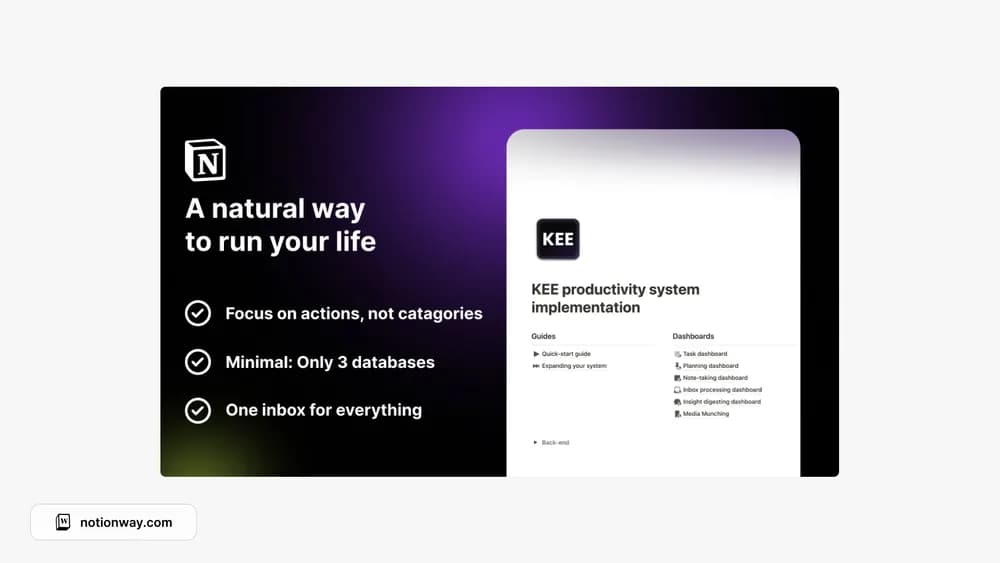
- Three core databases named Knowledge, Energy, and Engines
- Six preconfigured engines and seven optional add-ons
- Quick-start and expansion guides, plus offline routines
How to use it in practice
Read the quick-start guide and activate one engine that fits a current responsibility. Add enough real records to understand how it connects knowledge and energy, then review whether the structure helps you make a decision. Leave optional engines inactive until there is a reason to use them. A framework is easier to evaluate through one recurring workflow than a complete workspace migration.
Set it up in your workspace
- Follow the original creator’s checkout or access instructions to obtain the Notion page. Open that page while signed in, then duplicate it into the workspace you want to use.
- Read the creator’s setup notes and try the routine with one small set of current commitments.
- Try one complete example before adding a large backlog. Check that its views and any calculations show what you expect, then replace the sample content with your own.
Who it suits and what to consider
People comparing different personal planning approaches. Best for someone interested in learning the creator’s KEE method. Its terminology differs from a conventional task manager, so allow time to understand the model before importing large amounts of content.