About TikTok Marketing Notion Template
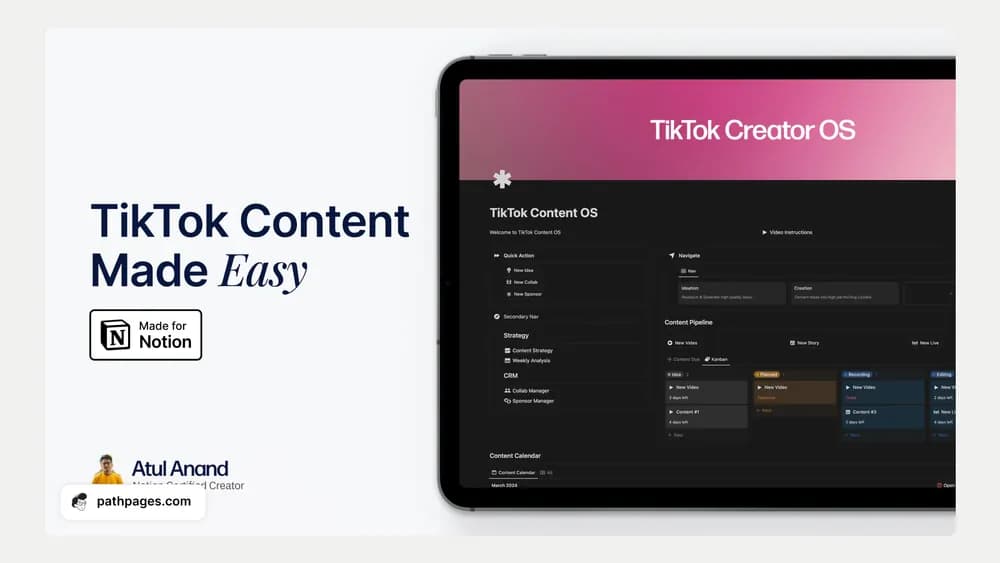
A channel-specific workspace can be helpful when the format has its own production rhythm. This listing is built around TikTok marketing. Use the creator preview to check how ideas, recording, editing, and publication are represented, and keep the first plan within your actual production capacity.
What’s included
- Content-strategy and ideation sections with AI-oriented elements
- Creation boards and a pipeline for content types
- Collaboration or sponsor management and a weekly analysis section
How to use it in practice
Choose one audience question and turn it into a video brief before filling a large idea board. Keep the hook, recording needs, and editing work close to the intended publication date. Use the weekly analysis to record observations from actual posts and choose one change to test next. Treat AI-generated suggestions as drafts requiring your own review and channel context.
Set it up in your workspace
- Follow the original creator’s checkout or access instructions to obtain the Notion page. Open that page while signed in, then duplicate it into the workspace you want to use.
- Plan a small batch of videos and identify what each needs before recording. Review what is ready before assigning publication dates.
- Try one complete example before adding a large backlog. Check that its views and any calculations show what you expect, then replace the sample content with your own.
Who it suits and what to consider
Creators planning TikTok content. A TikTok-focused planning workspace. Check current AI access and creator instructions; the template itself does not establish automatic posting or growth results.