About UX/UI Design Project Brief
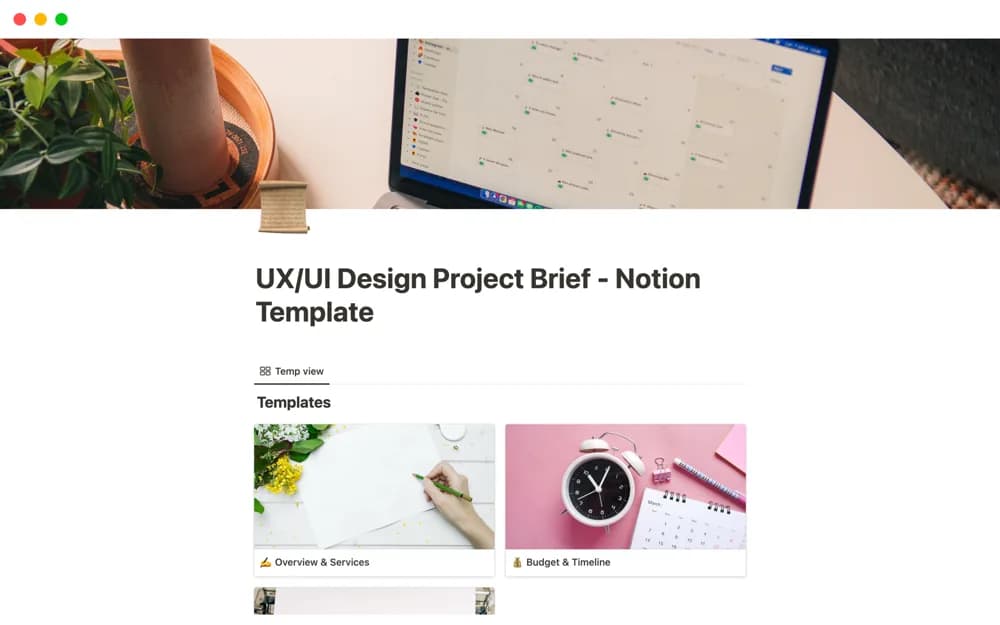
Present a UX/UI design engagement in Notion with your background, service offer, project budget, timeline, and collaboration terms.
What’s included
- Designer overview and positioning
- Services description
- Budget and timeline tables
- Terms and conditions section
How to use it in practice
Replace the designer introduction with relevant experience and a clear description of the proposed services. Discuss scope with the client before completing the budget and timeline tables. Review the collaboration terms together and keep a record of the agreed version before beginning design work.
Set it up in your workspace
- Open the original Notion Marketplace listing and add the template to your chosen workspace while signed in. Keep its example records until you understand how the pages connect.
- Replace the designer introduction with relevant experience and a clear description of the proposed services.
- Try one complete example before adding a large backlog. Check that its views and any calculations show what you expect, then replace the sample content with your own.
Who it suits and what to consider
Independent UX/UI designers outlining a proposed engagement for a prospective client. The listing is closer to a designer’s engagement proposal than a detailed research brief. Research plans, acceptance criteria, and legal terms need your own review.