About Work Hours & Time Tracking (AI-Powered)
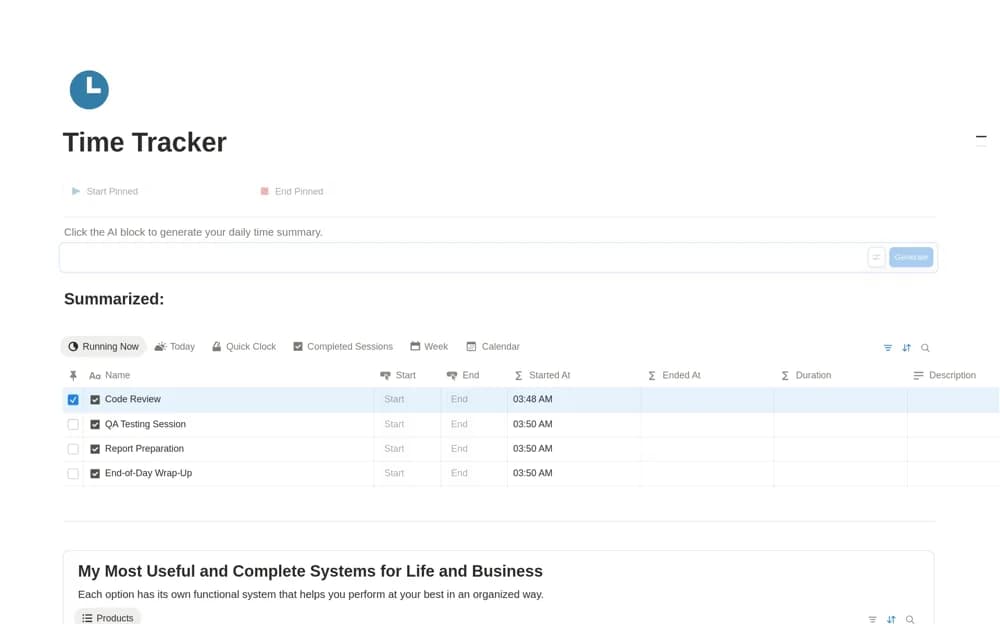
Record task sessions in Notion with start and end buttons, calculated durations, active and completed views, and optional AI work summaries.
What’s included
- Session start and end buttons
- Duration calculations in minutes and hours
- Running and completed session views
- Optional Notion AI daily summaries
How to use it in practice
Start a sample session, end it after a known interval, and check the calculated duration. Use the buttons consistently during a real task and review unfinished sessions before closing the day. Correct missed clock-outs before using the totals in a work summary or reporting them to someone else.
Set it up in your workspace
- Open the original Notion Marketplace listing and add the template to your chosen workspace while signed in. Keep its example records until you understand how the pages connect.
- Start a sample session, end it after a known interval, and check the calculated duration.
- Try one complete example before adding a large backlog. Check that its views and any calculations show what you expect, then replace the sample content with your own.
Who it suits and what to consider
People who want task-based work logs without maintaining a separate timer application. The log relies on button use rather than background activity monitoring. AI summaries require suitable Notion AI access and should be checked against the actual sessions.