About Architect Student Studio Project Phase Tracker
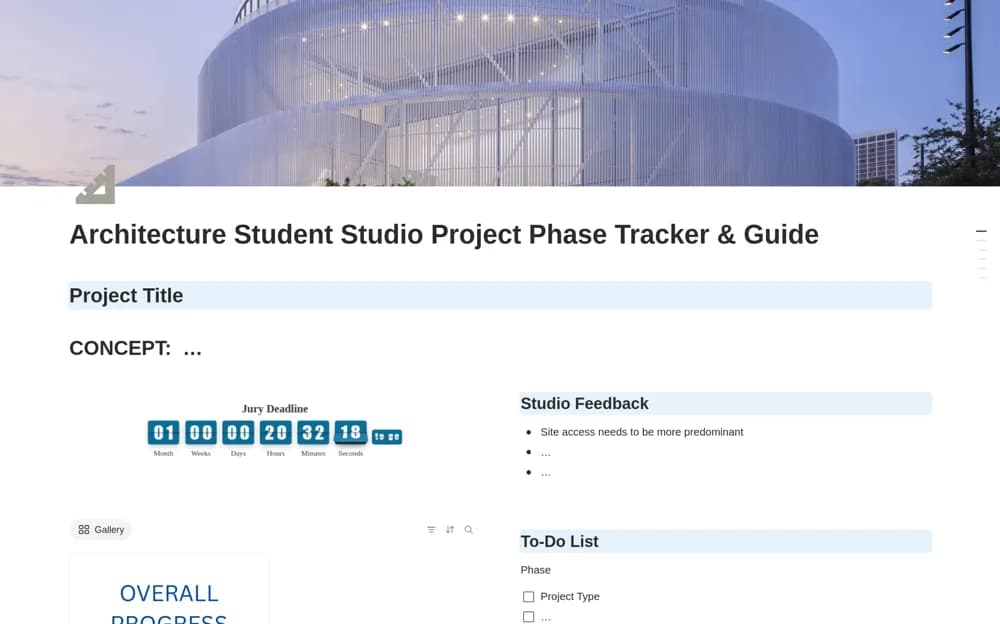
An architecture studio tracker connecting design phases, presentation deadlines, feedback, and project progress.
What’s included
- Phase-based project tracking with a design guide
- Jury deadline countdown
- Feedback hub, to-do lists, and milestone progress records
How to use it in practice
Set the actual presentation date and review the phases against your studio brief. Keep tutor or critic feedback with the revision it affects, then choose a practical next task. Use the guide as a planning aid while retaining your institution’s requirements and current drawing files elsewhere.
Set it up in your workspace
- Open the original Notion Marketplace listing and add the template to your chosen workspace while signed in. Keep its example records until you understand how the pages connect.
- Set the actual presentation date and review the phases against your studio brief.
- Try one complete example before adding a large backlog. Check that its views and any calculations show what you expect, then replace the sample content with your own.
Who it suits and what to consider
Architecture students and designers managing a structured studio project. The creator positions this around architecture studio work; professional project obligations need their own established process.