About Ecommerce Brand Inventory Tracker
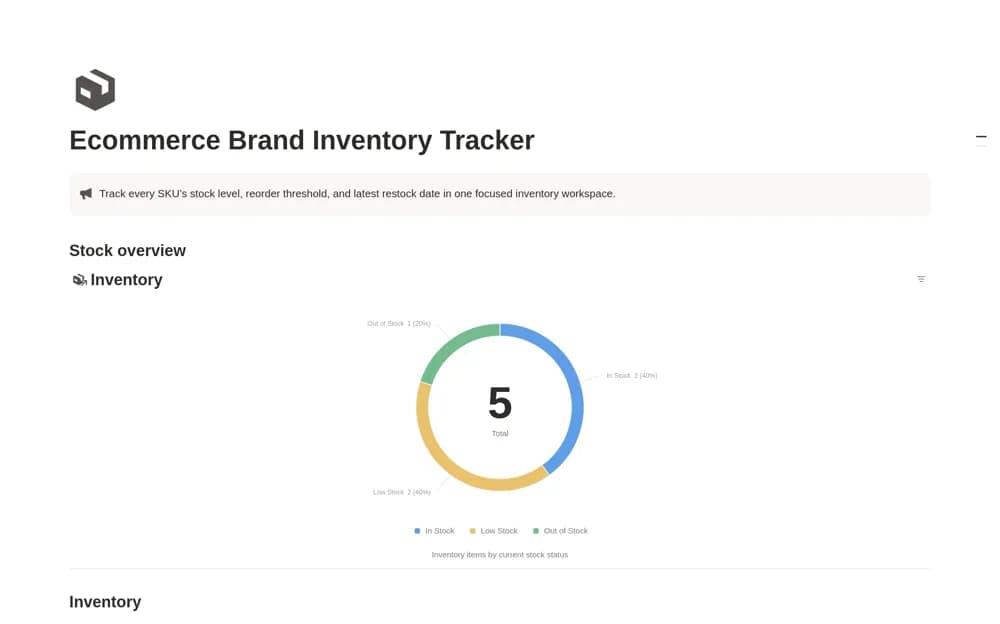
A focused SKU inventory tracker with units on hand, reorder points, restock dates, and stock-status views for reviewing products that need attention.
What’s included
- Product and SKU inventory records
- Stock status, units, and reorder points
- Restock dates and stock-status chart
How to use it in practice
Add a short product list and compare its recorded units with an actual stock count. Set a sensible reorder threshold for each item, then review the low-stock view before purchasing. Update the restock date and quantity together so the dashboard retains useful context after a delivery arrives.
Set it up in your workspace
- Open the original Notion Marketplace listing and add the template to your chosen workspace while signed in. Keep its example records until you understand how the pages connect.
- Add a short product list and compare its recorded units with an actual stock count.
- Try one complete example before adding a large backlog. Check that its views and any calculations show what you expect, then replace the sample content with your own.
Who it suits and what to consider
Online-store owners who want a small stock-review workspace rather than a full ecommerce operating system. Recorded stock remains accurate only when movements are maintained. The listing does not confirm order-system synchronization or a full stock-movement ledger.