About HR Operations Team Workboard
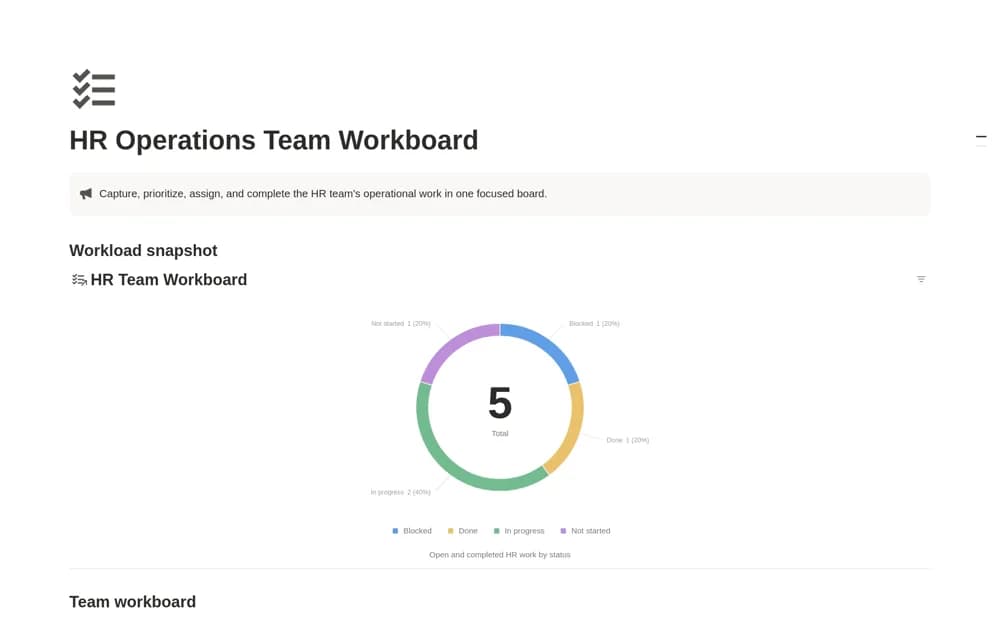
A focused HR operations board for assigning, prioritizing, and following up on the team’s day-to-day work.
What’s included
- HR Team Workboard database
- Workload by Status view
- Central dashboard and editable workflow structure
How to use it in practice
Add a small set of routine HR tasks with clear ownership and next steps. Agree status definitions and review unfinished items at a regular team check-in. Use task descriptions that provide useful context while keeping confidential employee details in appropriately restricted records.
Set it up in your workspace
- Open the original Notion Marketplace listing and add the template to your chosen workspace while signed in. Keep its example records until you understand how the pages connect.
- Add a small set of routine HR tasks with clear ownership and next steps.
- Try one complete example before adding a large backlog. Check that its views and any calculations show what you expect, then replace the sample content with your own.
Who it suits and what to consider
HR coordinators and people-operations teams managing operational tasks. This is a work coordination board; the source does not establish payroll, case management, or a complete HR information system.