About Manager Dashboard
A management dashboard should make commitments easier to revisit. This Notion-made template is a starting point for that role. Keep the workspace focused on the meetings, goals, and actions you actually review, and separate private people notes from shared team information.
What’s included
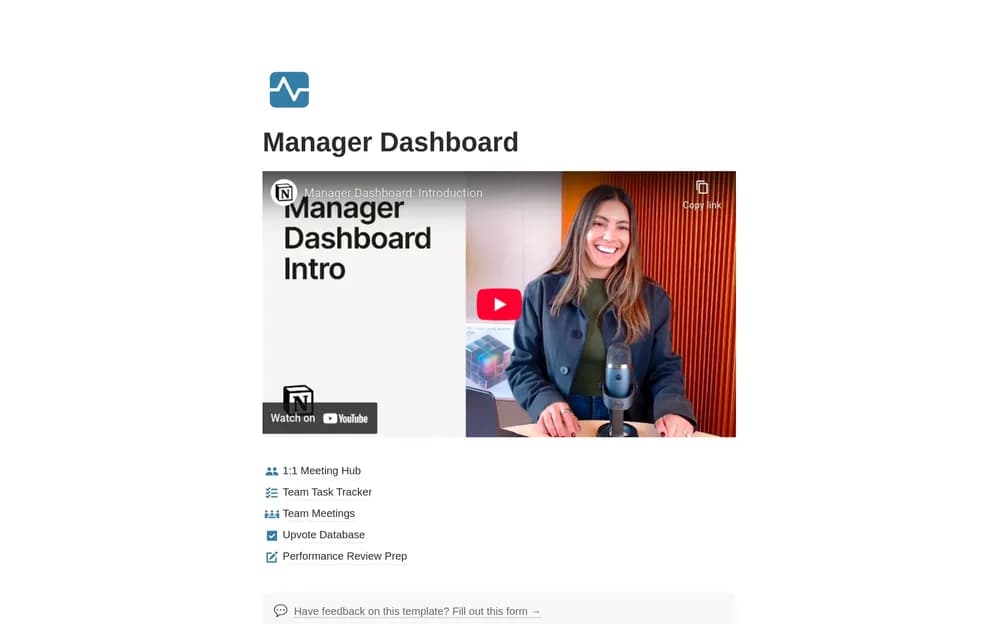
- A 1:1 meeting hub and team task tracker
- Team-meeting records and an upvote database
- Performance-review preparation with suggested AI workflows
How to use it in practice
Start with a recurring 1:1 and one team meeting. Capture agreed actions and follow up at the next conversation. Keep factual examples for review preparation as work happens, then interpret them with the person’s context in mind. Explain how upvotes and any AI-assisted summaries are used so the team understands the process.
Set it up in your workspace
- Open the original Notion Marketplace listing and add the template to your chosen workspace while signed in. Keep its example records until you understand how the pages connect.
- Add the current team priorities and one recurring review. Check the access settings for every section.
- Try one complete example before adding a large backlog. Check that its views and any calculations show what you expect, then replace the sample content with your own.
Who it suits and what to consider
Managers organizing recurring team work. A broad starting pack for managers. Use deliberate permissions for personal feedback and review material, and check AI access requirements before using those suggestions.