About Notion Project Tracker
A project tracker works when it helps you return to the work with enough context to continue. This listing gives you another layout to compare. Check how the creator represents status and tasks, then try it with a project whose outcome is easy to define.
What’s included
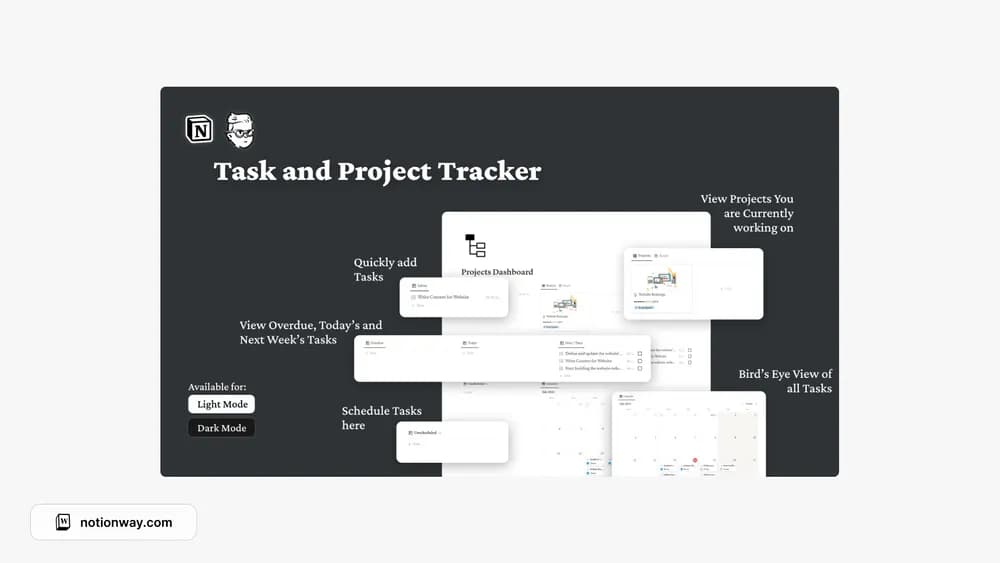
- Projects and tasks with deadlines and progress tracking
- Overdue, today, and this-week task views
- A project calendar and example project templates for video or design work
How to use it in practice
Create a project with a clear finish condition and enter the next few tasks. Check the today and overdue views against the calendar so unfinished work remains visible. Use an example project only after adapting the steps to your own deliverable. Review project progress alongside the tasks that remain, especially when a small remaining task can still block delivery.
Set it up in your workspace
- Follow the original creator’s checkout or access instructions to obtain the Notion page. Open that page while signed in, then duplicate it into the workspace you want to use.
- Add a current project and write down what completion means. Keep the next action close to that outcome.
- Try one complete example before adding a large backlog. Check that its views and any calculations show what you expect, then replace the sample content with your own.
Who it suits and what to consider
People looking for a focused project overview. A focused tracker for personal or business projects. Useful if you want dates and task visibility without adopting a full business operating system.