About Aesthetic Project Planner
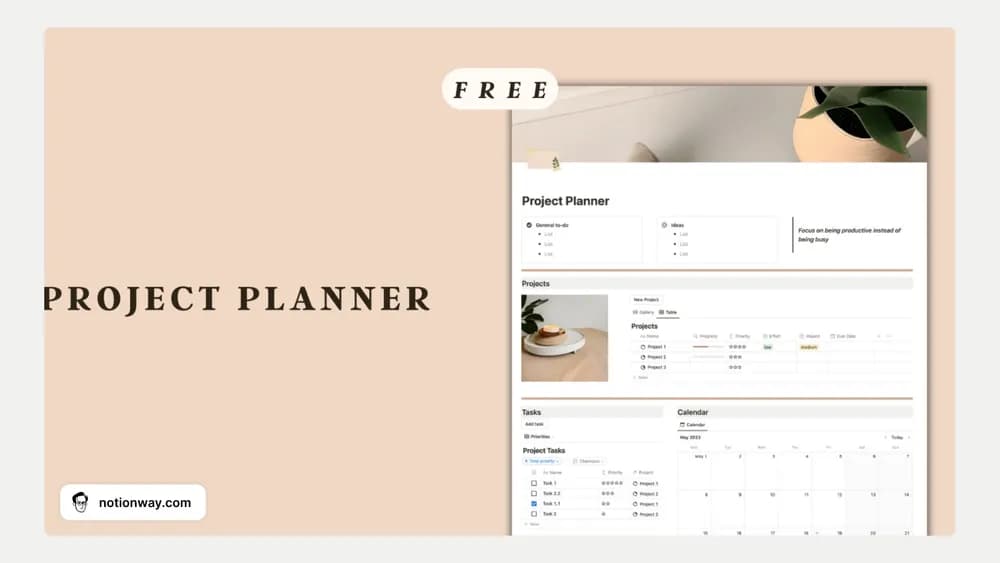
A project planner should make the work clearer as well as more inviting. This template brings a visual theme to project organization. Before committing to it, test how you will record the next task, a deadline, and a change in scope for a real piece of work.
What’s included
- Project tasks with deadlines and completion tracking
- Effort-and-impact formulas for prioritizing work
- A calendar view, progress bar, and quarterly reflection section
How to use it in practice
Test the prioritization with three tasks whose relative importance you already understand. Enter realistic effort and impact values, then check whether the order is useful. Plan the next task in the calendar and update completion after doing the work. Use the quarterly reflection to compare what you finished with the outcome you intended, adjusting the next period’s priorities accordingly.
Set it up in your workspace
- Follow the original creator’s checkout or access instructions to obtain the Notion page. Open that page while signed in, then duplicate it into the workspace you want to use.
- Add one small active project and identify its next three actions. Check the preview for the views you prefer using.
- Try one complete example before adding a large backlog. Check that its views and any calculations show what you expect, then replace the sample content with your own.
Who it suits and what to consider
People who prefer an aesthetic project workspace. A fit for people who want visual planning and a scoring aid. Formula scores depend on your inputs, and a calendar view should not be assumed to mean automatic synchronization with an external calendar service.