About Notion Task Manager
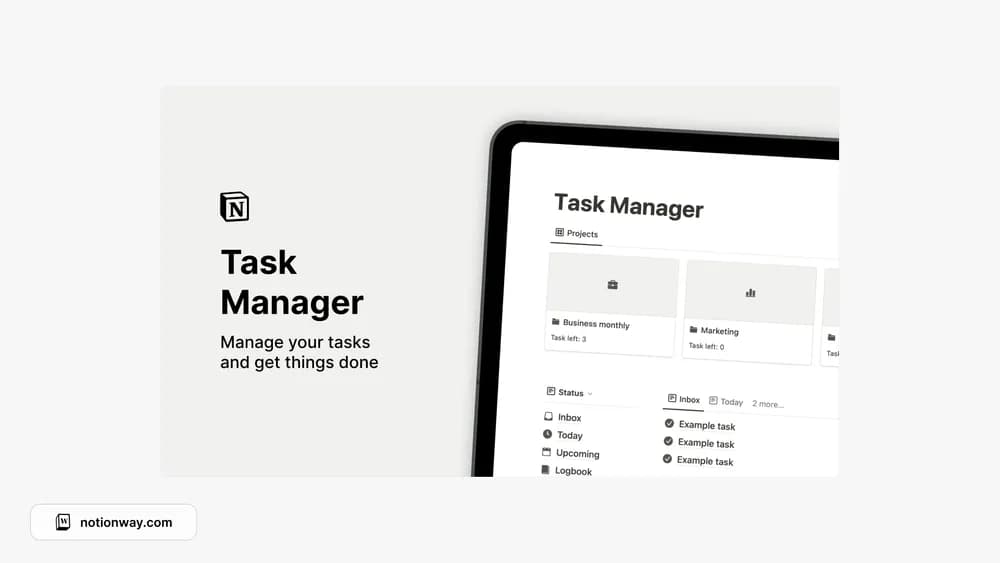
This task manager connects everyday actions with project work. It is useful when a single flat to-do list makes it difficult to see what a task belongs to. A regular review will matter more than the number of views you keep open.
What’s included
- A central space to capture and track tasks
- Areas for grouping tasks by responsibility
- Editable Notion pages for adapting a simple task routine
How to use it in practice
Write tasks as actions you can start, such as sending a draft or booking an appointment. Assign each to a recognizable area and review active items at the beginning of the day. Split tasks that repeatedly remain unfinished into smaller actions. Keep the number of areas low enough that adding a task does not require deciding between several near-identical labels.
Set it up in your workspace
- Follow the original creator’s checkout or access instructions to obtain the Notion page. Open that page while signed in, then duplicate it into the workspace you want to use.
- Add one active project and its next few tasks. Use the filters to focus on the work you can actually do this week.
- Try one complete example before adding a large backlog. Check that its views and any calculations show what you expect, then replace the sample content with your own.
Who it suits and what to consider
People managing tasks across several projects. A straightforward choice for capturing work and sorting it by area. Compare a project tracker if you need milestones, dependencies, or detailed delivery planning.