About Small shop order manager
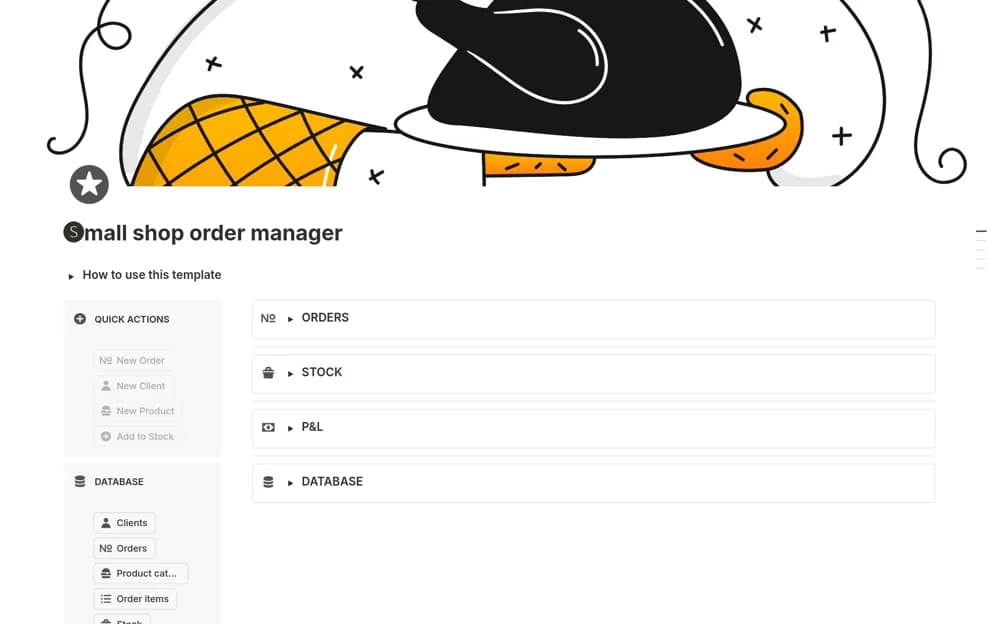
A small-shop order system connecting products, customers, quantities, order stages, and stock or production planning.
What’s included
- Related product and client databases
- Order creation from catalog items and quantities
- Kanban order stages with inventory and preparation context
How to use it in practice
Test an actual completed order, checking product quantities and stage changes. Agree when stock records are updated and inspect any low-stock calculation against a known example. Review pending orders before production and keep payment and delivery confirmations in their appropriate source systems.
Set it up in your workspace
- Open the original Notion Marketplace listing and add the template to your chosen workspace while signed in. Keep its example records until you understand how the pages connect.
- Test an actual completed order, checking product quantities and stage changes.
- Try one complete example before adding a large backlog. Check that its views and any calculations show what you expect, then replace the sample content with your own.
Who it suits and what to consider
Small product businesses coordinating orders and fulfillment. The creator’s example began with a dessert business; adapt production and stock assumptions to your products.