About Sunday Studio: Life Admin Reset
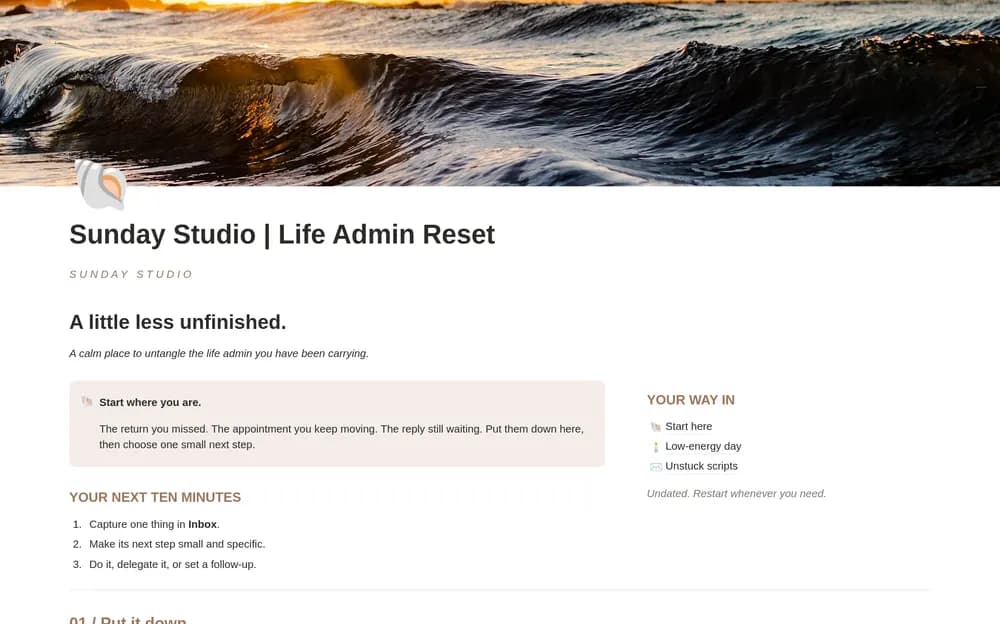
Turn loose life-admin tasks into clear next actions in Notion, moving each open loop through Inbox, Ready, Waiting, Later, and Closed stages.
What’s included
- Open-loops database with five stages and a board view
- Five-minute wins and waiting-for views with follow-up dates
- Deadline watch with formula-based attention labels
- Guided reset sessions with four-step progress
- Eight editable scripts for calls, follow-ups, cancellations, and delegation
How to use it in practice
Spend five minutes capturing every unfinished errand you can think of into the Inbox. Give each one a concrete action phrased as a verb, and move anything that depends on someone else to Waiting with a follow-up date. Clear a few five-minute wins on a low-energy day, then run a full guided reset at the end of the week.
Set it up in your workspace
- Open the original Notion Marketplace listing and add the template to your chosen workspace while signed in. Keep its example records until you understand how the pages connect.
- Spend five minutes capturing every unfinished errand you can think of into the Inbox.
- Try one complete example before adding a large backlog. Check that its views and any calculations show what you expect, then replace the sample content with your own.
Who it suits and what to consider
Busy adults catching up on returns, appointments, refunds, and other small personal follow-ups. The creator notes that attention labels are visual indicators, not notifications, so dates and reminders must be set up by you. Scripts are text to copy into your own email or messaging app.