About Virtual Assistant Daily Operations Dashboard
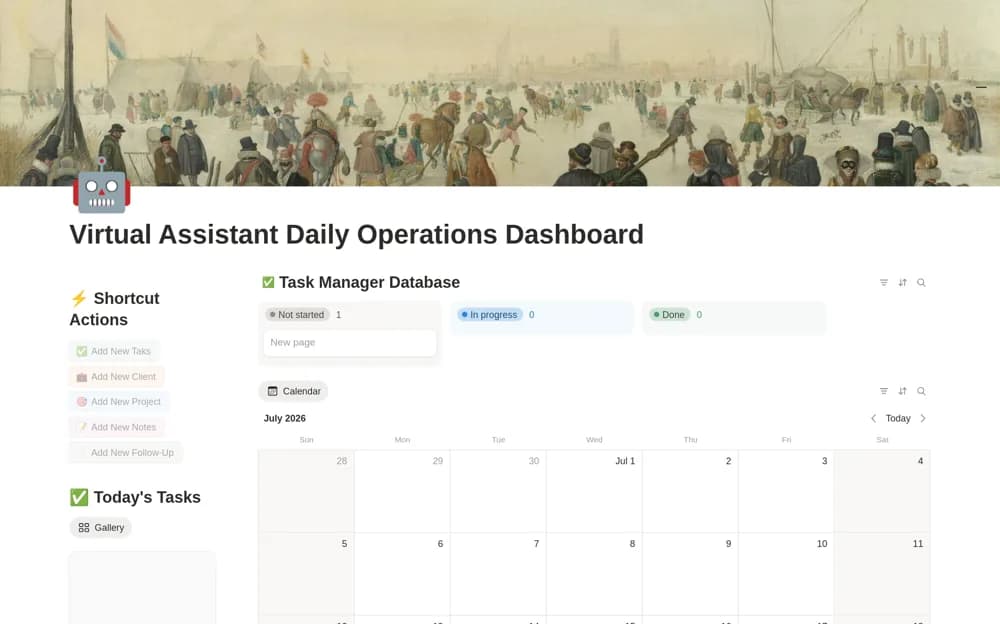
A VA operations dashboard connecting clients, projects, tasks, meetings, follow-up dates, and daily calendar views.
What’s included
- Client records with time zone, hours, and communication channel
- Related projects, tasks, and meeting notes
- Quick-add buttons, follow-up tracker, and calendar
How to use it in practice
Add one client and its current tasks, confirming time zone and preferred communication route. Test the Today’s Tasks and follow-up views before adding the rest of your workload. Check that each client can access only the material intended for them if you share pages externally.
Set it up in your workspace
- Open the original Notion Marketplace listing and add the template to your chosen workspace while signed in. Keep its example records until you understand how the pages connect.
- Add one client and its current tasks, confirming time zone and preferred communication route.
- Try one complete example before adding a large backlog. Check that its views and any calculations show what you expect, then replace the sample content with your own.
Who it suits and what to consider
Virtual assistants and small agencies managing recurring client responsibilities. The source does not establish time billing, email delivery, or automatic synchronization with client systems.