About Client Onboarding HQ for Virtual Assistants
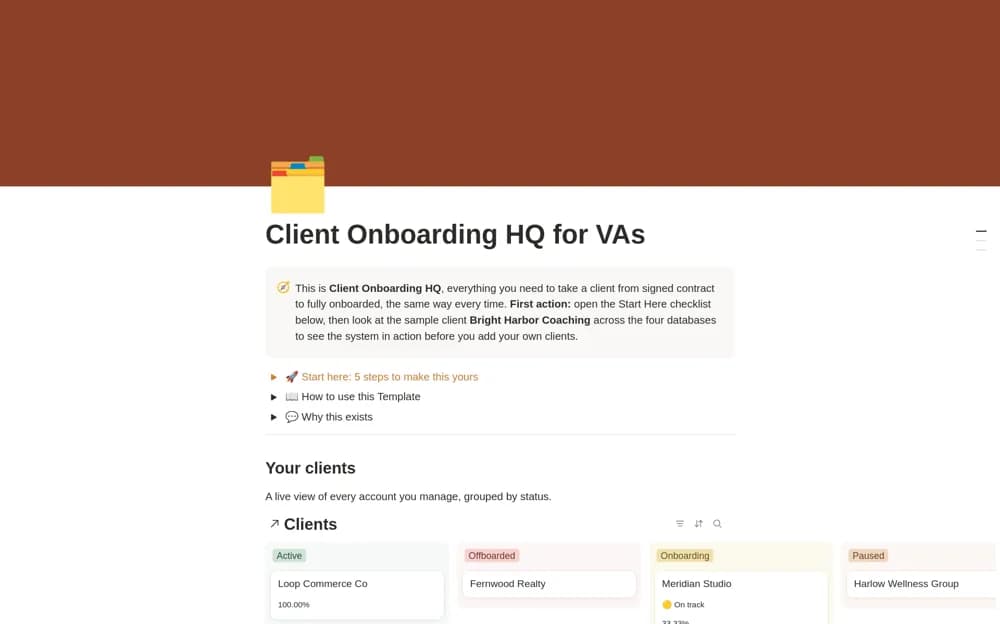
A paid virtual-assistant onboarding workspace with a built-in Notion intake form, client records, a repeatable onboarding workflow, and realistic examples for setup.
What’s included
- Notion Client Intake Form
- Client database
- Connected onboarding workflow and sample records
How to use it in practice
Submit a sample client through the intake form and follow the record into the onboarding workflow. Check which information is required before kickoff and who needs access to it. Replace the examples with your own process only after testing that missing documents or permissions remain visible to the person responsible.
Set it up in your workspace
- Open the original Notion Marketplace listing and add the template to your chosen workspace while signed in. Keep its example records until you understand how the pages connect.
- Submit a sample client through the intake form and follow the record into the onboarding workflow.
- Try one complete example before adding a large backlog. Check that its views and any calculations show what you expect, then replace the sample content with your own.
Who it suits and what to consider
Virtual assistants who want a consistent starting process for new client engagements. The built-in form avoids a separate form service for the described intake. Review sharing and data handling before collecting real client information, and confirm any optional services separately.