About Invoice Generator | Payment Tracker
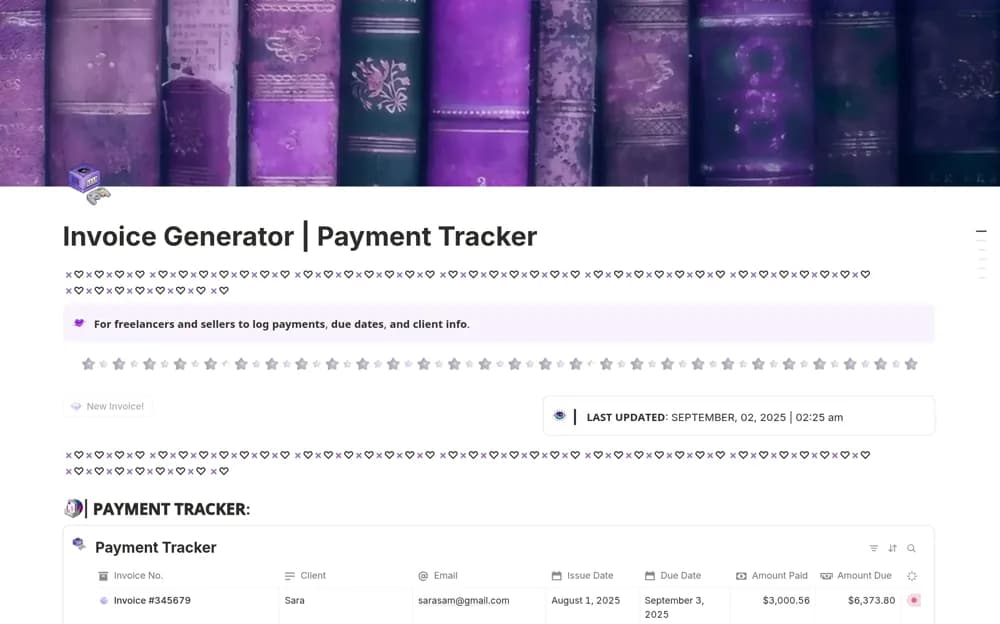
A modular invoice add-on with a button that creates an editable invoice page, a payment-status dashboard, linked invoice records, and setup guidance for a creator workspace.
What’s included
- Invoice Generator Button and editable layout
- Paid, Partial, Pending, and Overdue statuses
- Linked tracker and step-by-step setup guide
How to use it in practice
Generate a sample invoice from a completed project and compare its fields with the document you normally send. Connect it to the tracker and test a partial-payment status. Follow the supplied setup guide before adding it to a wider dashboard, checking that client and invoice links still point to the right records.
Set it up in your workspace
- Open the original Notion Marketplace listing and add the template to your chosen workspace while signed in. Keep its example records until you understand how the pages connect.
- Generate a sample invoice from a completed project and compare its fields with the document you normally send.
- Try one complete example before adding a large backlog. Check that its views and any calculations show what you expect, then replace the sample content with your own.
Who it suits and what to consider
Digital creators and freelancers wanting simple invoice preparation beside an existing Notion dashboard. The creator presents it as an add-on for a Creator Dashboard Kit and states a final-sale policy. Check compatibility and invoice requirements; payment tracking does not itself process payments.