About Worldbuilding & Books OS: Novel Writing Planner
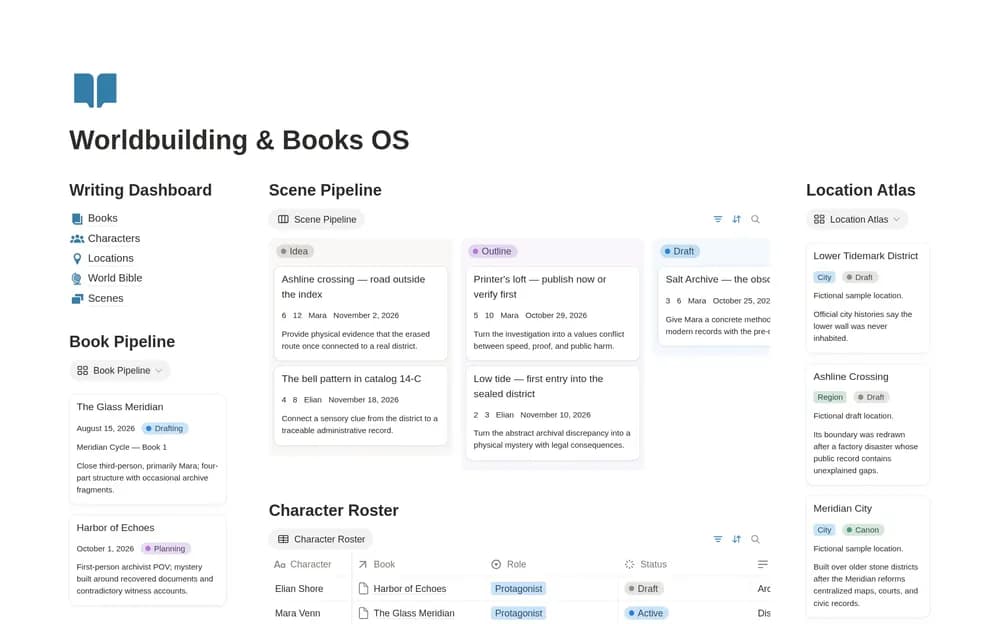
Plan novels and fictional worlds in Notion with connected databases for books, characters, locations, scenes, and a central world bible.
What’s included
- Books database for multiple writing projects
- Character profiles with backgrounds and relationships
- Locations database linked to stories and scenes
- World Bible for rules, history, and cultures
- Scenes database connected to books, characters, and locations
How to use it in practice
Add the book you are working on and create profiles for its three or four main characters. Record the key locations and a handful of world rules in the World Bible. As you write during the week, log each scene and link it to its characters and setting, then check whether the connections help you spot inconsistencies.
Set it up in your workspace
- Open the original Notion Marketplace listing and add the template to your chosen workspace while signed in. Keep its example records until you understand how the pages connect.
- Add the book you are working on and create profiles for its three or four main characters.
- Try one complete example before adding a large backlog. Check that its views and any calculations show what you expect, then replace the sample content with your own.
Who it suits and what to consider
Fiction writers, fantasy and science-fiction authors, and worldbuilders managing one book or a series. It organizes story material rather than the manuscript itself; the listing does not mention drafting tools, word counts, or export, so you may prefer to write chapters in a dedicated writing app.