About Client Atlas
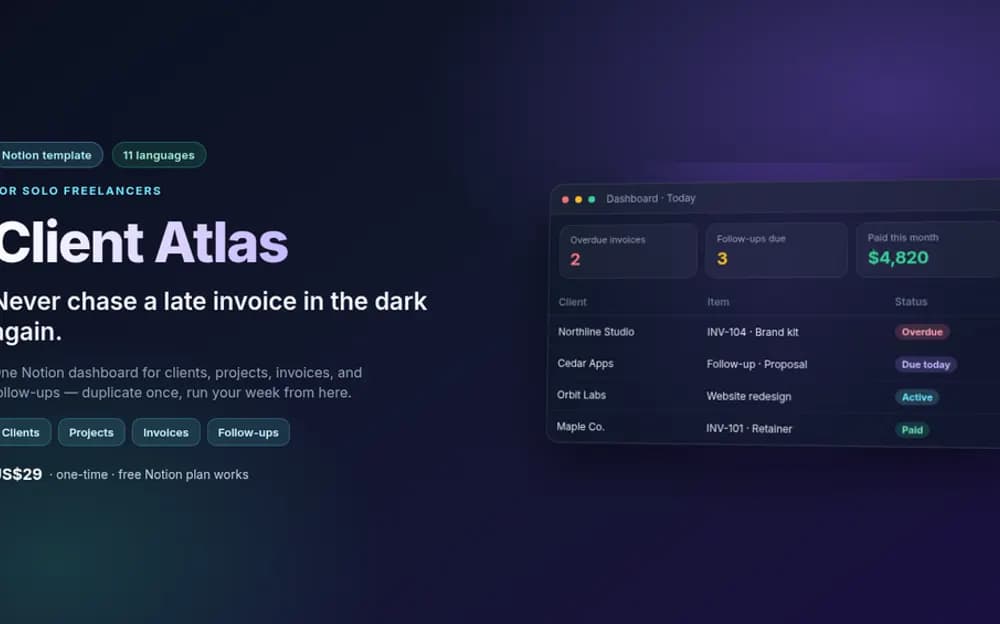
Run solo freelance work from one Notion dashboard of clients, projects, invoices, and follow-ups, with lifetime value counted from paid invoices.
What’s included
- Clients with status, source, contact, and paid-only lifetime value
- Projects with fees, due dates, and invoice totals
- Invoices with paid and overdue tracking
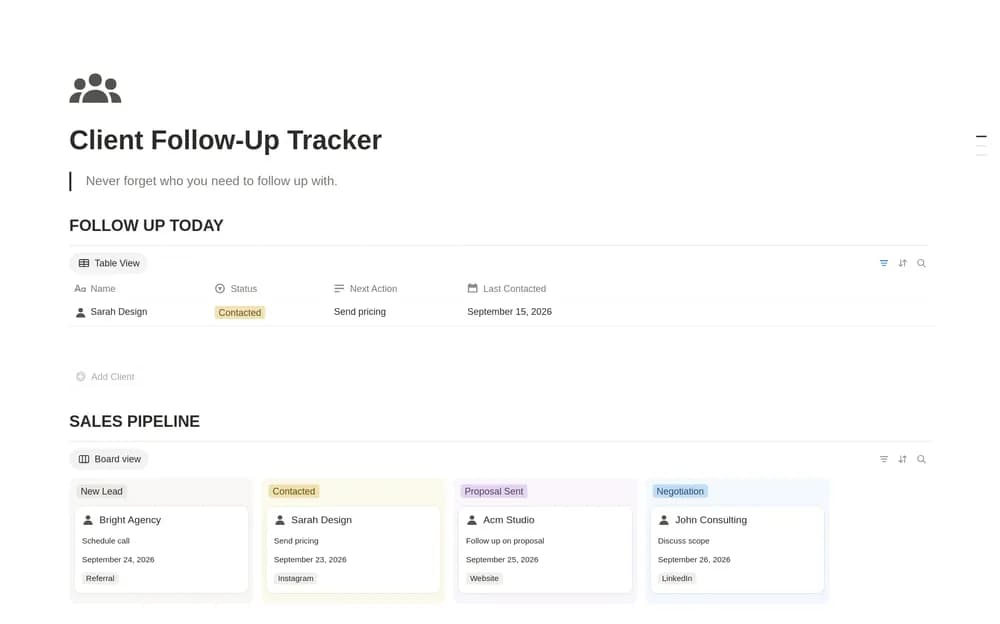
- Follow-up board from new lead to won or lost
- Start-here guides in 11 languages and a hidden sensitive-notes field
How to use it in practice
Replace the sample rows with your active clients and the projects you are delivering this month. Log the invoices you have already sent, mark the paid ones, and confirm the dashboard shows the right overdue total. Add each new lead to the follow-up board and check the dashboard each morning for a week.
Set it up in your workspace
- Follow the original creator’s checkout or access instructions to obtain the Notion page. Open that page while signed in, then duplicate it into the workspace you want to use.
- Replace the sample rows with your active clients and the projects you are delivering this month.
- Try one complete example before adding a large backlog. Check that its views and any calculations show what you expect, then replace the sample content with your own.
Who it suits and what to consider
Solo designers, writers, developers, marketers, and consultants who want clients and billing in one workspace. It records invoice status and due dates but does not send invoices or collect payments. The guides are translated, while database property names stay in English.