About Commission & Freelance All-in-One Studio
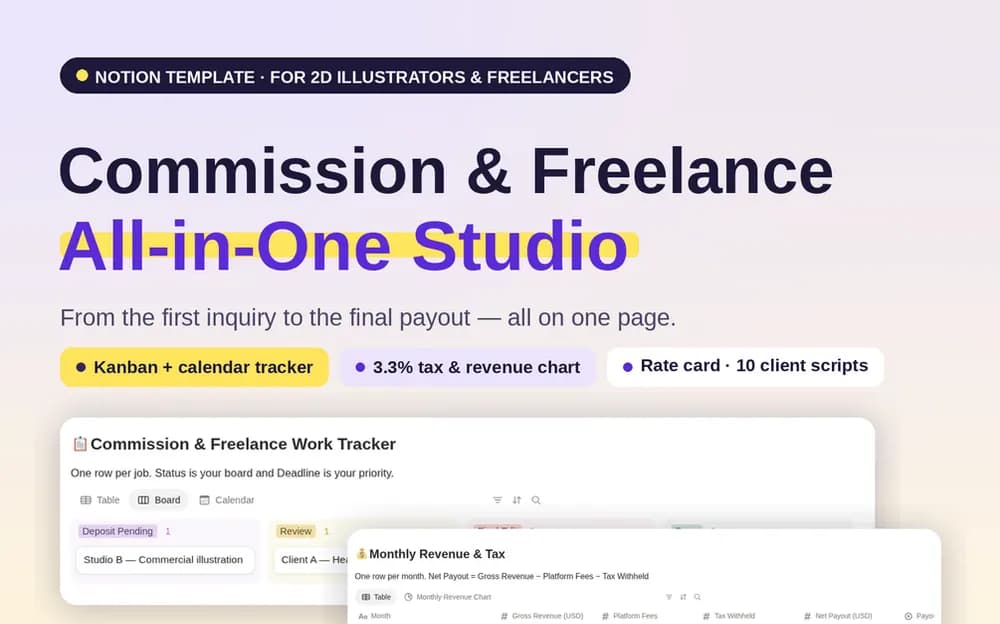
Run an illustration commission business from one Notion page, with a status board, deadline calendar, rate card, client replies, and income records.
What’s included
- Work tracker from inquiry to done in table, board, and calendar views
- Deposit, balance, priority, and revision fields
- Monthly revenue with fees, tax withheld, and net payout
- Price list for six service types
- Ten ready-to-send client replies and a weekly checklist
How to use it in practice
Add each open commission as a row and set its current stage, from quote through final edit. Enter the deadline, deposit, and balance so the board and calendar reflect your real workload. Use one of the prepared client replies the next time you answer an inquiry and adjust the wording. Run the weekly checklist at the end of the week to catch upcoming deadlines.
Set it up in your workspace
- Follow the original creator’s checkout or access instructions to obtain the Notion page. Open that page while signed in, then duplicate it into the workspace you want to use.
- Add each open commission as a row and set its current stage, from quote through final edit.
- Try one complete example before adding a large backlog. Check that its views and any calculations show what you expect, then replace the sample content with your own.
Who it suits and what to consider
Illustrators and artists handling several paid commissions at the same time. The tax tracker applies a preset withholding percentage, so confirm the rate that applies to you; the creator labels the tax notes as general guidance. Revenue is entered by hand at month end.