About Client Follow-Up Tracker
A follow-up tracker is useful when the next message needs context from the last conversation. Keep the reason for following up beside the date. The goal is a reliable relationship record, so review active entries and close the ones that no longer need attention.
What’s included
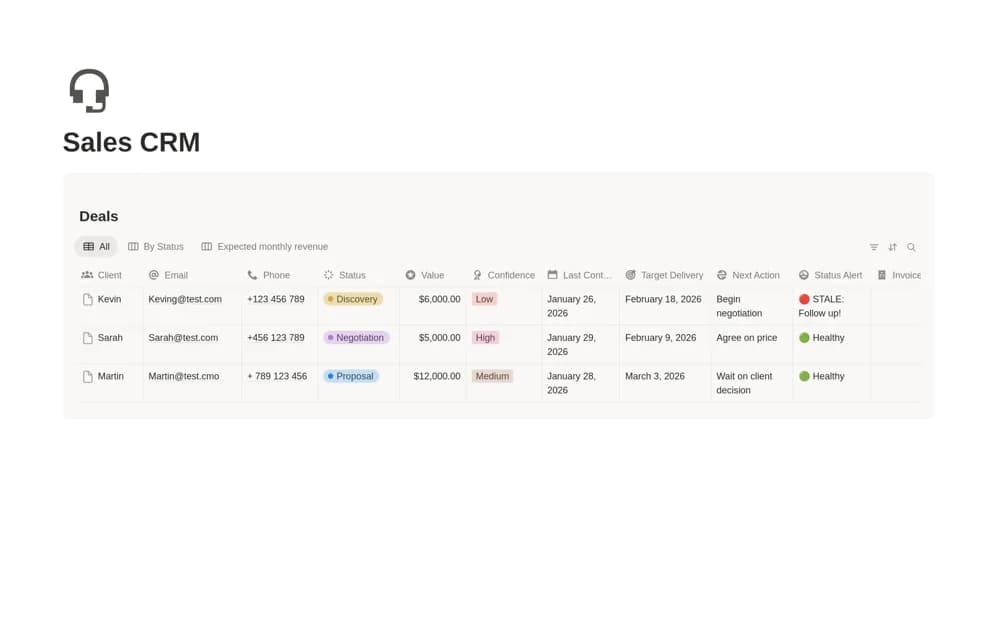
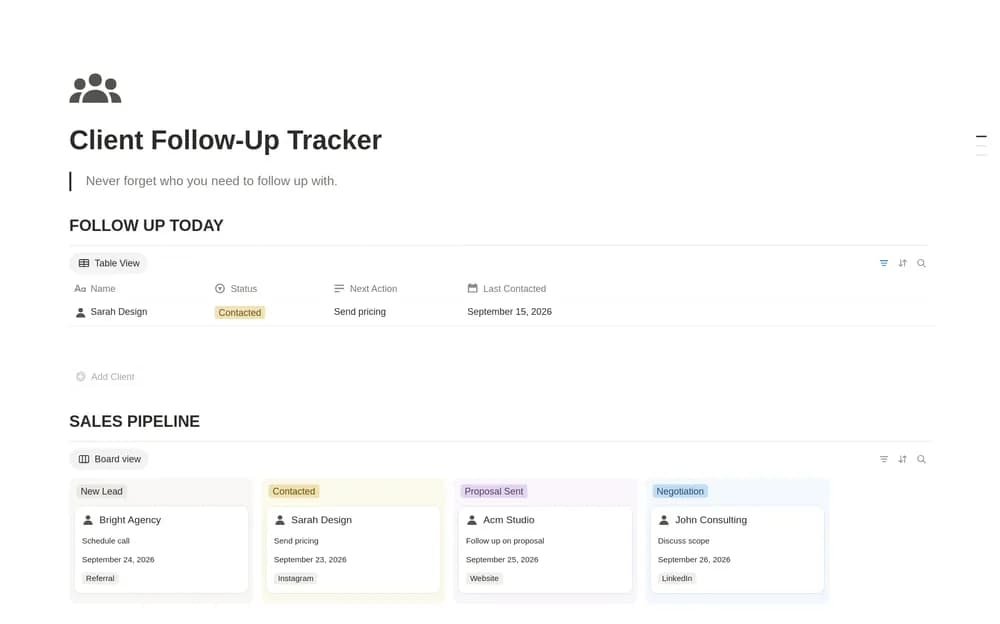
- Lead or client records with status and source
- Last-contact context
- Next follow-up dates, actions, and conversation notes
How to use it in practice
Add active relationships and write the reason for the next message. Use a specific action, such as sending a requested estimate, alongside the date. Review the list before contacting anyone so the conversation starts with the right context. Close inactive opportunities rather than repeatedly pushing the date into another week.
Set it up in your workspace
- Open the original Notion Marketplace listing and add the template to your chosen workspace while signed in. Keep its example records until you understand how the pages connect.
- Add a few real relationships and a specific next action for each. Keep the follow-up date meaningful.
- Try one complete example before adding a large backlog. Check that its views and any calculations show what you expect, then replace the sample content with your own.
Who it suits and what to consider
Independent professionals and small sales teams. A manageable follow-up record for independent professionals and small sales teams. Keep the communication thoughtful and tied to what the person actually needs.