About Content Brief from a Topic 2.0
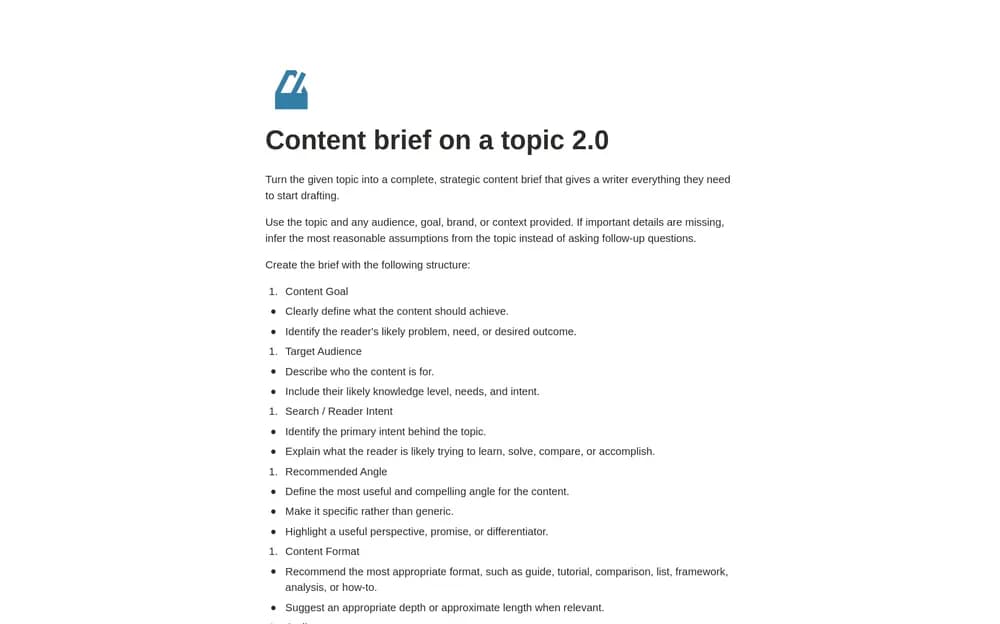
Generate a full content brief from a single topic with Notion AI, covering audience, intent, angle, outline, SEO keywords, titles, and research needs.
What’s included
- Content goal and target audience definition
- Search and reader intent with a chosen angle
- H1, H2, and H3 outline with key points and takeaways
- Primary, secondary, and related keyword suggestions with title ideas
- Differentiation, CTA, and fact-checking requirements
How to use it in practice
Choose a topic you genuinely plan to publish this week and run it through the skill. Read the brief critically, checking that the stated intent matches what currently ranks and cutting sections that do not fit. Verify the keyword suggestions with a keyword tool before relying on them. Write the draft from the brief and note where it saved time or needed heavy correction.
Set it up in your workspace
- Open the original Notion Marketplace listing and add the template to your chosen workspace while signed in. Keep its example records until you understand how the pages connect.
- Choose a topic you genuinely plan to publish this week and run it through the skill.
- Try one complete example before adding a large backlog. Check that its views and any calculations show what you expect, then replace the sample content with your own.
Who it suits and what to consider
Bloggers, SEO writers, and content marketers who use Notion AI and want a consistent planning step before drafting. This is a Notion AI skill, so it needs Notion AI access to run. Keyword suggestions come from the model rather than search-volume data and should be checked.