About Contractor Job Tracker
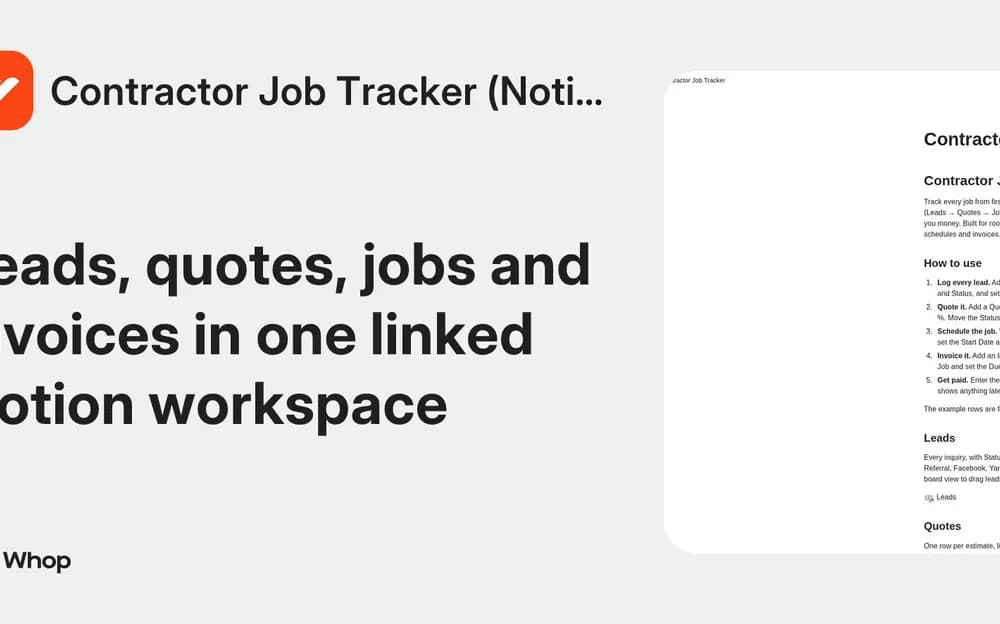
Follow contractor work from lead to quote, job, and invoice in Notion, with deposit and balance formulas, crew dates, and overdue tracking.
What’s included
- Leads board with source, service, estimated value, and follow-up dates
- Quotes with tax rate, deposit percentage, and balance formulas
- Jobs linked to accepted quotes with crew and a calendar view
- Invoices with paid, partial, and unpaid status and days overdue
- Six example rows per database and a setup guide
How to use it in practice
Enter the leads that came in this week and record the source of each call. Turn one accepted estimate into a quote, check that the tax and deposit math matches what you would bill, and schedule the job on the calendar. Log the deposit as an invoice, then watch the overdue count over the following days.
Set it up in your workspace
- Follow the original creator’s checkout or access instructions to obtain the Notion page. Open that page while signed in, then duplicate it into the workspace you want to use.
- Enter the leads that came in this week and record the source of each call.
- Try one complete example before adding a large backlog. Check that its views and any calculations show what you expect, then replace the sample content with your own.
Who it suits and what to consider
Roofers, HVAC technicians, remodelers, landscapers, and other trades running jobs from a small office. The listing describes tracking records rather than sending estimates or collecting payments, so customer-facing documents still come from your billing tool. A spreadsheet edition is sold as a separate product.