 Free
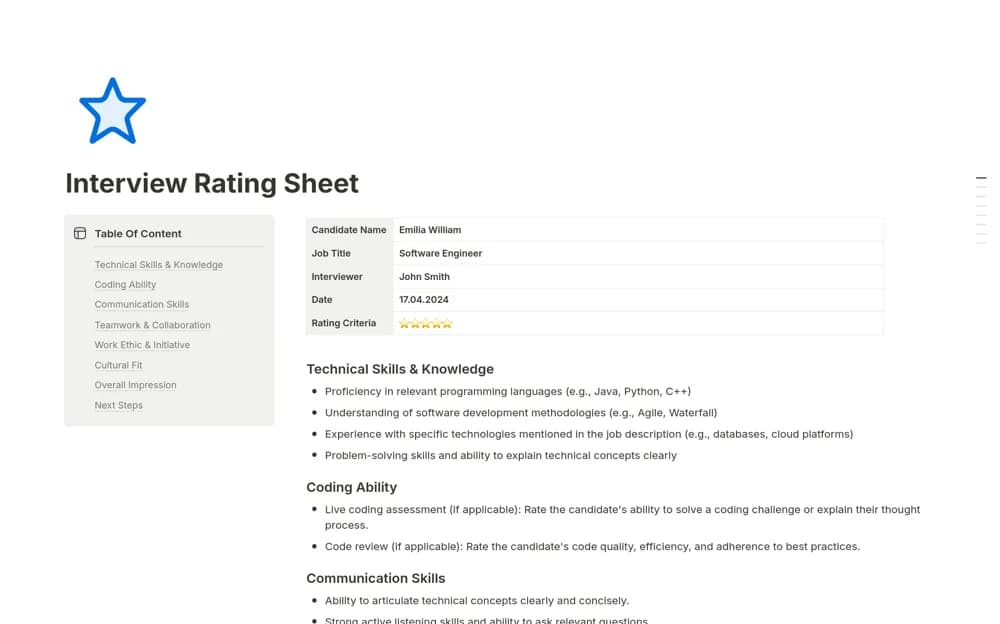
Interview Rating Sheet
Collect structured candidate evaluations in Notion so interviewers can compare assessment notes and discuss feedback in a shared format.
Follow candidates, vacancies, and hiring conversations in one place. Find Notion templates for recruiters managing a pipeline, coordinating interviews, and keeping the next action visible for each role.
Showing 1–4 of 4 templates
FreeCollect structured candidate evaluations in Notion so interviewers can compare assessment notes and discuss feedback in a shared format.
 Paid
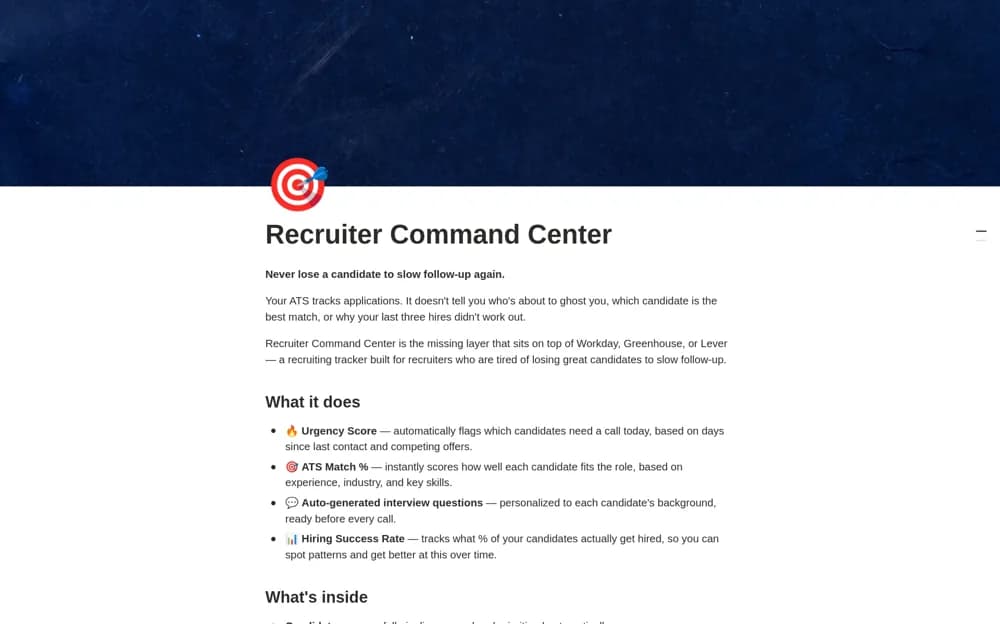
A paid recruiting decision layer with candidate urgency and match scores, interview questions, hiring outcomes, and team performance records, intended to sit alongside an existing ATS.
 Paid
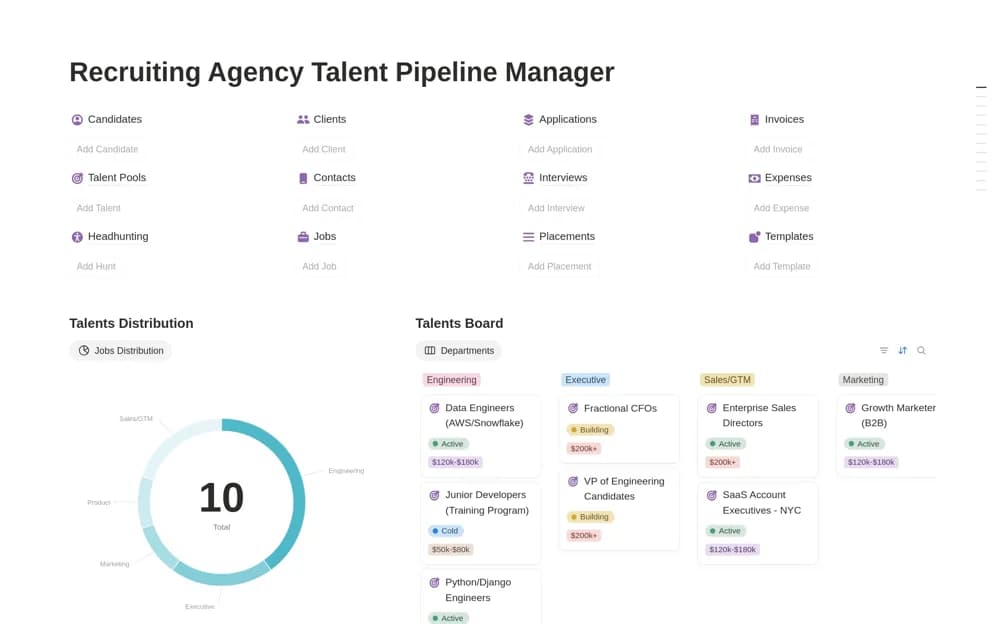
A paid recruiting-agency workspace covering candidates, talent pools, vacancies, applications, interviews, salary expectations, invoices, income, and operating expenses.
 Paid
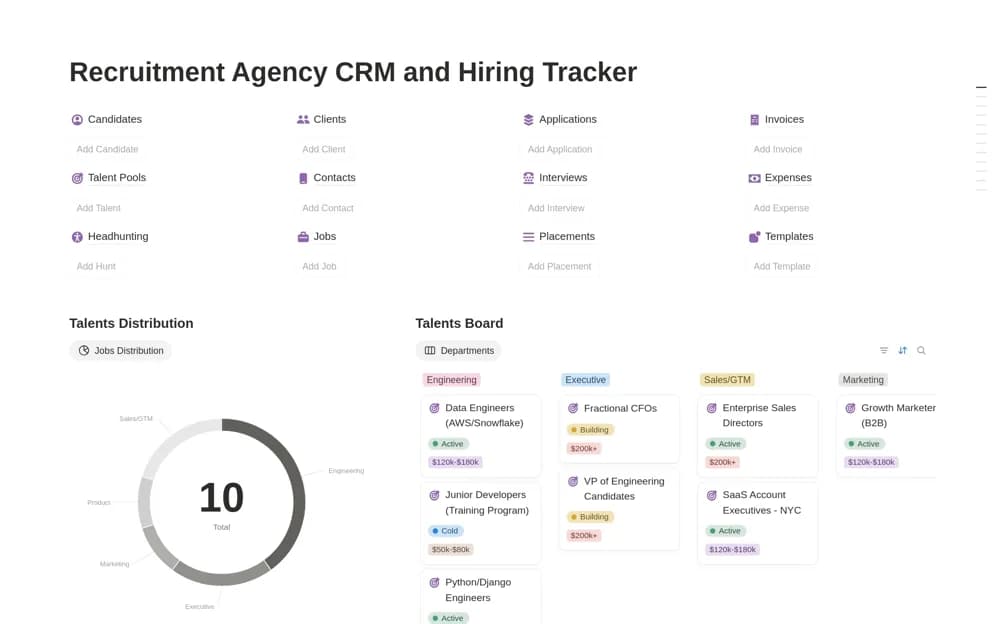
A paid recruitment workspace bringing candidate relationships, talent pools, job openings, application stages, interviews, and agency billing records into one connected dashboard.
Compare the purpose and included features before choosing a workspace.
Recruiters and hiring teams agreeing on a consistent way to record interview feedback.
Recruiters prioritizing shortlisted candidates and reviewing interview or hiring decisions.
Recruiting agencies that need talent-network management alongside delivery and fee records.
4 working templates from 3 creators: 1 free and 3 paid, with paid options from $60 to $99. Links last checked October 12, 2026.
| Template | Best for | Price | Creator |
|---|---|---|---|
| Interview Rating Sheet | Recruiters and hiring teams agreeing on a consistent way to record interview feedback. | Free | Abdo Karamallah |
| RecruiterOS — Recruiting Tracker | Recruiters prioritizing shortlisted candidates and reviewing interview or hiring decisions. | $60 | ToolsByNoah |
| Recruiting Agency Talent Pipeline Manager | Recruiting agencies that need talent-network management alongside delivery and fee records. | $99 | Nation4Business |
| Recruitment Agency CRM and Hiring Tracker | Staffing and recruiting teams coordinating hiring progress with their business administration. | $99 | Nation4Business |
Try the same candidate against two different vacancies before adopting a recruiting workspace. Their overall profile and their application stage should remain distinguishable. Record interview feedback promptly and agree on who can see it. Check whether the template supports agency client records or an internal hiring team, since those workflows differ. Keep retention periods and access rules aligned with your organization’s recruitment process.
Candidates linked to vacancies
Interview and follow-up dates
Controlled access to hiring notes
About the directoryKeep a candidate’s overall profile separate from progress on an individual vacancy. Record the last meaningful contact, next interview, and follow-up owner. Review delays before an application becomes inactive through silence. Use scoring fields as prompts for a conversation about evidence, and keep interview judgments factual enough that another recruiter can understand the decision.
Jump straight to any listing in the collection.
Some provide a broad hiring workspace, while others are explicitly a manual decision layer alongside an ATS. Compare the listing’s scope, data-entry requirements, permissions, and integration claims before moving candidate records.
It depends on the job you need it to do. Good starting points in this collection include Interview Rating Sheet (recruiters and hiring teams agreeing on a consistent way to record interview feedback), RecruiterOS — Recruiting Tracker (recruiters prioritizing shortlisted candidates and reviewing interview or hiring decisions) and Recruiting Agency Talent Pipeline Manager (recruiting agencies that need talent-network management alongside delivery and fee records). Compare the included features below, then try your first choice with a week of real information before moving everything across.
Yes. This collection currently includes 1 listing with a confirmed free creator offer, alongside 3 paid or freemium options. Use the Free filter to compare them. A free version can have different features from a creator’s paid upgrade, so check the original listing and current access terms before adding it to your workspace.