About Issue Tracker
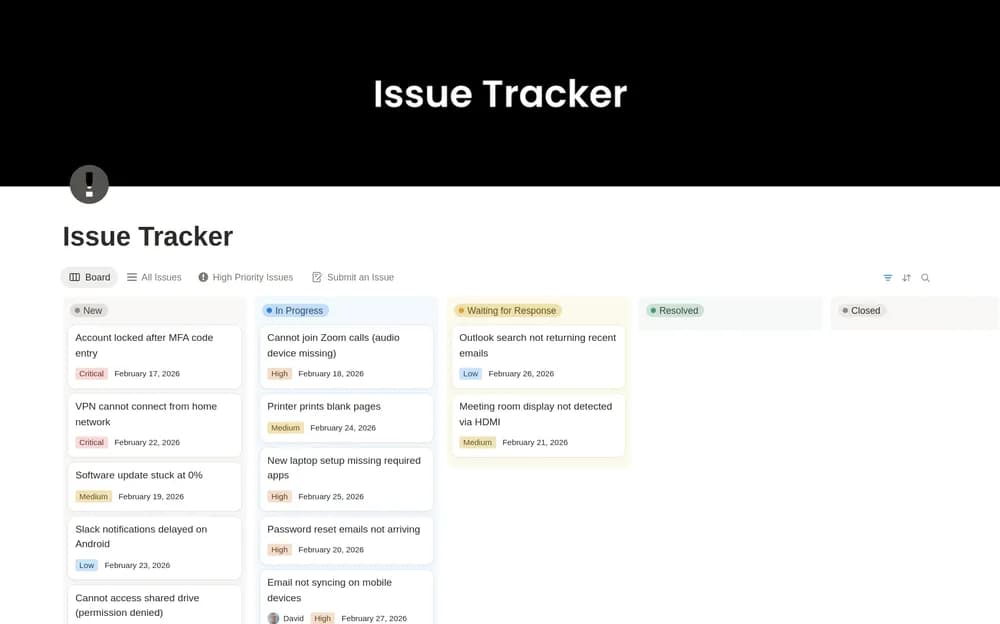
An issue tracker is useful when it preserves what happened and who is handling it. Use the creator’s layout to keep the description and next step together. Agree on status and priority definitions before the queue grows so similar reports are treated consistently.
What’s included
- A shared issue and feedback queue
- Ownership, priority, and status fields
- An inline database for preserving the context of technical reports
How to use it in practice
Log a sample issue with the observed behavior, expected result, and steps to investigate. Assign a triage owner and use priority definitions the team understands. Keep resolution notes with the original report so a similar issue can be recognized later. Review old open items and close those that no longer require action.
Set it up in your workspace
- Open the original Notion Marketplace listing and add the template to your chosen workspace while signed in. Keep its example records until you understand how the pages connect.
- Add a sample issue with enough detail to reproduce or investigate it. Decide who will triage new entries.
- Try one complete example before adding a large backlog. Check that its views and any calculations show what you expect, then replace the sample content with your own.
Who it suits and what to consider
Small teams keeping track of technical work and support issues. A focused option for small teams handling technical work. Decide how urgent incidents are escalated outside the ordinary issue-review routine.