About YouTube Channel Digital Asset Library
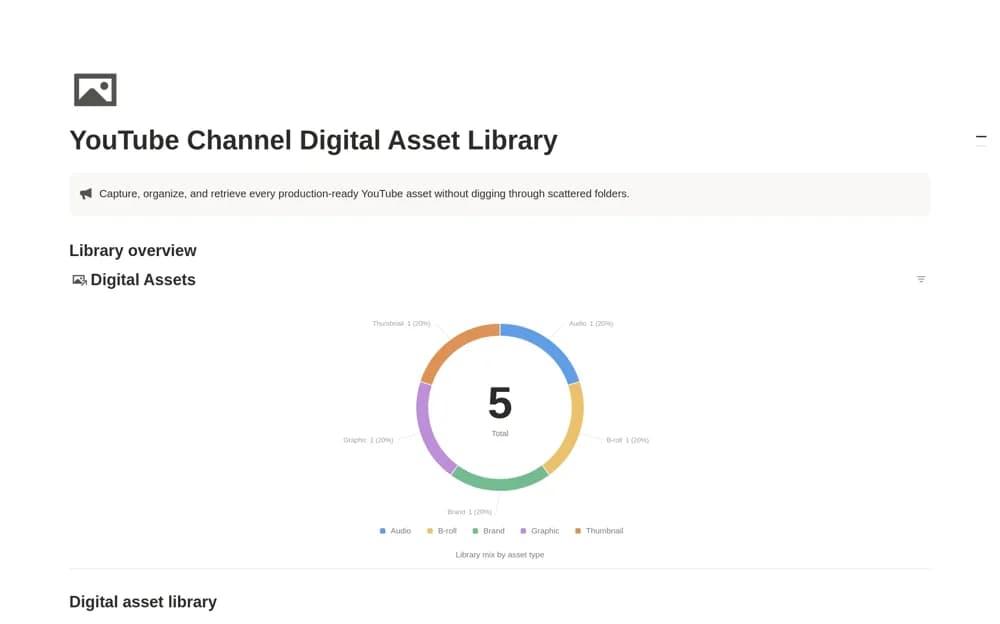
A media-asset catalog for thumbnails, B-roll, audio, graphics, and brand files, with formats, source links, asset links, dates, and license context.
What’s included
- Digital Assets database
- Asset type, format, and source links
- License fields and Assets by Type view
How to use it in practice
Catalog a few assets you reuse and link to the actual files in your storage system. Record the source and license evidence before labeling them ready for production. Check a video’s needed assets through the type view, keeping attribution requirements close to the file rather than relying on memory.
Set it up in your workspace
- Open the original Notion Marketplace listing and add the template to your chosen workspace while signed in. Keep its example records until you understand how the pages connect.
- Catalog a few assets you reuse and link to the actual files in your storage system.
- Try one complete example before adding a large backlog. Check that its views and any calculations show what you expect, then replace the sample content with your own.
Who it suits and what to consider
YouTube teams and editors maintaining a reusable production library across videos. A license label is a record you supply, not proof of usage rights. Review the original terms and keep large media files in appropriate storage.