About Simple Time Tracker
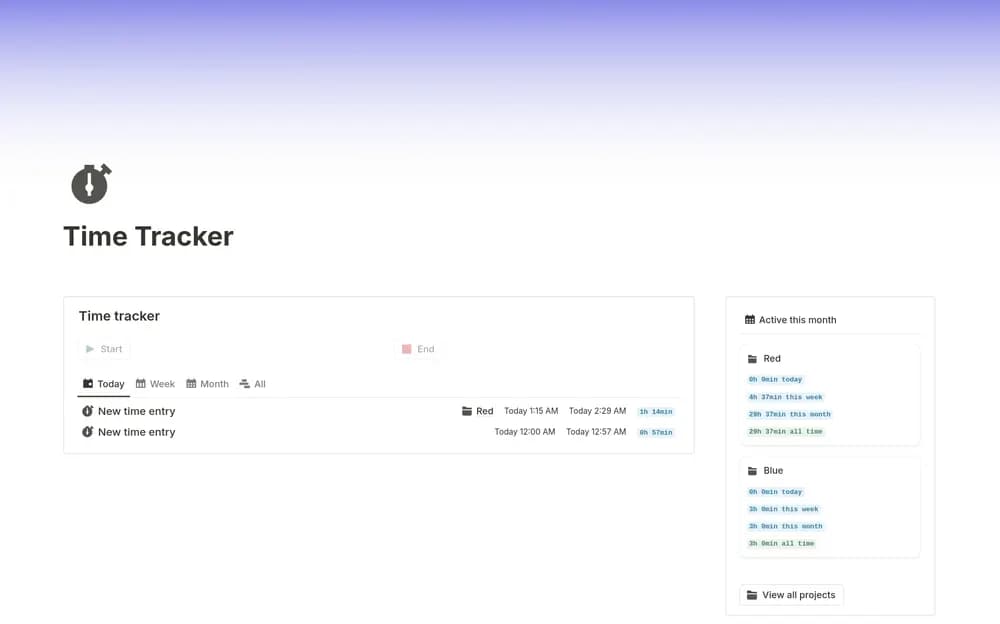
Start and stop project timers with one click in Notion, then review the hours by day, week, month, or all time in a minimal tracker.
What’s included
- One-click start and stop timers
- Time entries linked to projects
- Analytics by day, week, month, or all time
- Editable time entries
- Project time overview with automatic calculations
How to use it in practice
Add the two or three projects you work on most, then start a timer each time you switch to one. Correct any entry where you forgot to stop the timer. At the end of each day, check the daily view. After a week, compare the weekly totals with how you thought your time was split.
Set it up in your workspace
- Open the original Notion Marketplace listing and add the template to your chosen workspace while signed in. Keep its example records until you understand how the pages connect.
- Add the two or three projects you work on most, then start a timer each time you switch to one.
- Try one complete example before adding a large backlog. Check that its views and any calculations show what you expect, then replace the sample content with your own.
Who it suits and what to consider
Freelancers tracking billable hours and remote workers curious about where their time goes. Timers run inside Notion, so forgetting to stop one means editing the entry afterward. The listing does not mention invoicing, hourly rates, or calendar integration.