About Time Tracker with Projects
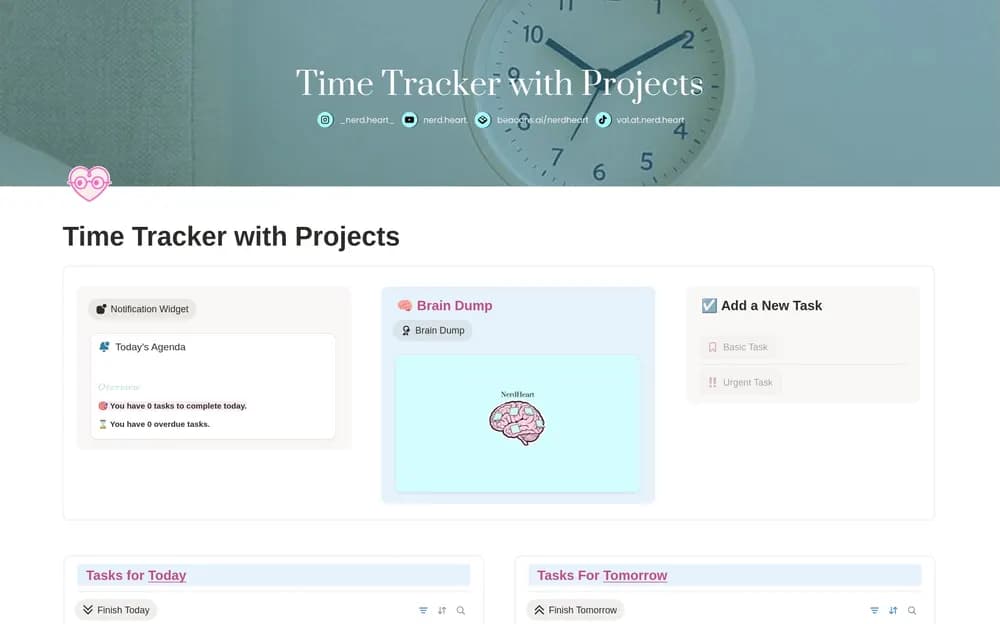
Plan today and tomorrow, manage tasks with quick-add buttons, and log hours per project in a Notion workspace that also includes a brain dump.
What’s included
- Brain Dump for quick capture
- Today and Tomorrow task sections
- Task Manager with quick-add buttons and views
- Projects hub
- Hours Log and Task Status view
How to use it in practice
Empty everything on your mind into the Brain Dump on the first morning. Move a few items into Today and Tomorrow and link each to a project. Log hours whenever you finish a work session. At the end of the week, look at the Hours Log by project to see whether time matched your priorities.
Set it up in your workspace
- Open the original Notion Marketplace listing and add the template to your chosen workspace while signed in. Keep its example records until you understand how the pages connect.
- Empty everything on your mind into the Brain Dump on the first morning.
- Try one complete example before adding a large backlog. Check that its views and any calculations show what you expect, then replace the sample content with your own.
Who it suits and what to consider
Freelancers, students, creators, and small teams juggling several projects at once. The listing does not mention timers, so hours are likely logged by hand. Rates and invoicing are not part of the description.