 Paid
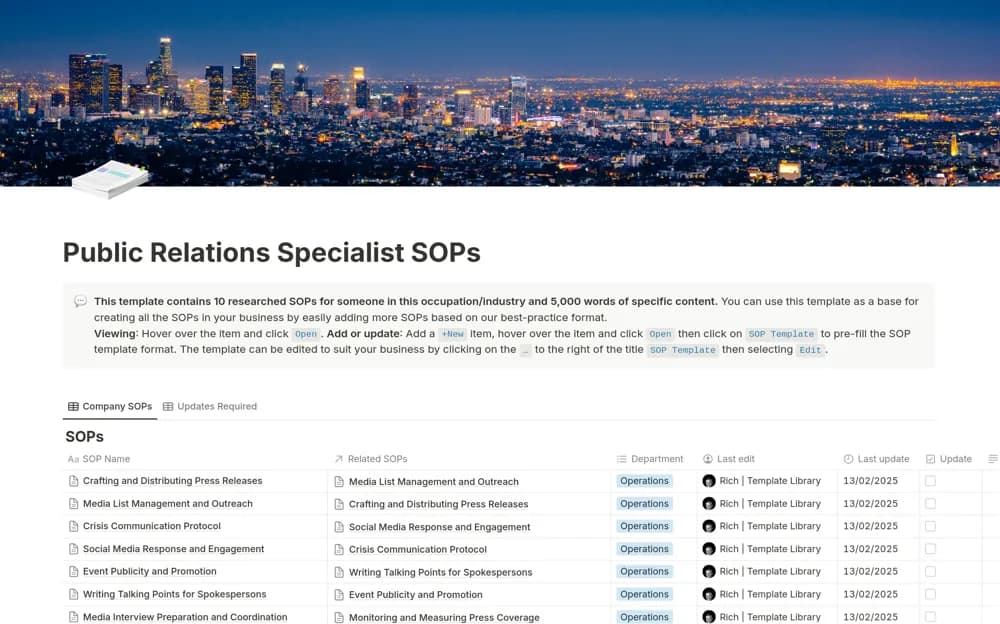
PaidPublic Relations Specialist SOPs
A PR procedure library covering press releases, media outreach, crisis communication, social responses, and publicity work.
Keep media outreach and coverage records connected. Find Notion press trackers for contacts, pitches, follow-ups, publication links, and understanding what happened after an announcement.
Showing 1–2 of 2 templates
A little structure goes a long way.PaidA PR procedure library covering press releases, media outreach, crisis communication, social responses, and publicity work.
 Free
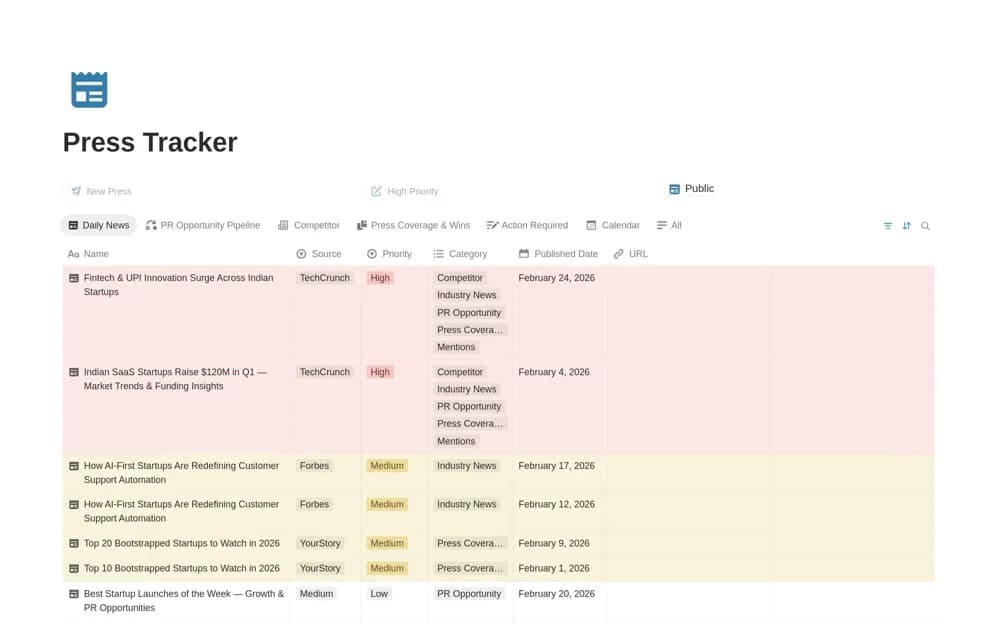
FreeA startup press tracker for coverage links, industry news, competitor updates, outreach, and media opportunities.
Compare the purpose and included features before choosing a workspace.
Founders and communications teams organizing a practical press-review routine.
Communications teams reviewing a starting set of public-relations procedures.
Separate a pitch sent from coverage confirmed. Keep the contact, story angle, and last interaction close together so follow-ups have context. Record live links and publication dates, and use consistent categories when reviewing results. Respect contact preferences and avoid repeated outreach just because a reminder appears in the tracker.
Outreach versus coverage status
Contact and pitch context
Dated publication links
About the directoryYes. This collection currently includes 1 listing with a confirmed free creator offer, alongside 1 paid or freemium option. Use the Free filter to compare them. A free version can have different features from a creator’s paid upgrade, so check the original listing and current access terms before adding it to your workspace.