 Free
Work & business
Crisis Management Notion templates
Keep response preparation and decisions easier to find under pressure. Find Notion crisis templates for contacts, responsibilities, communication drafts, incident records, and reviewing the response afterward.
Showing 1–3 of 3 templates
Free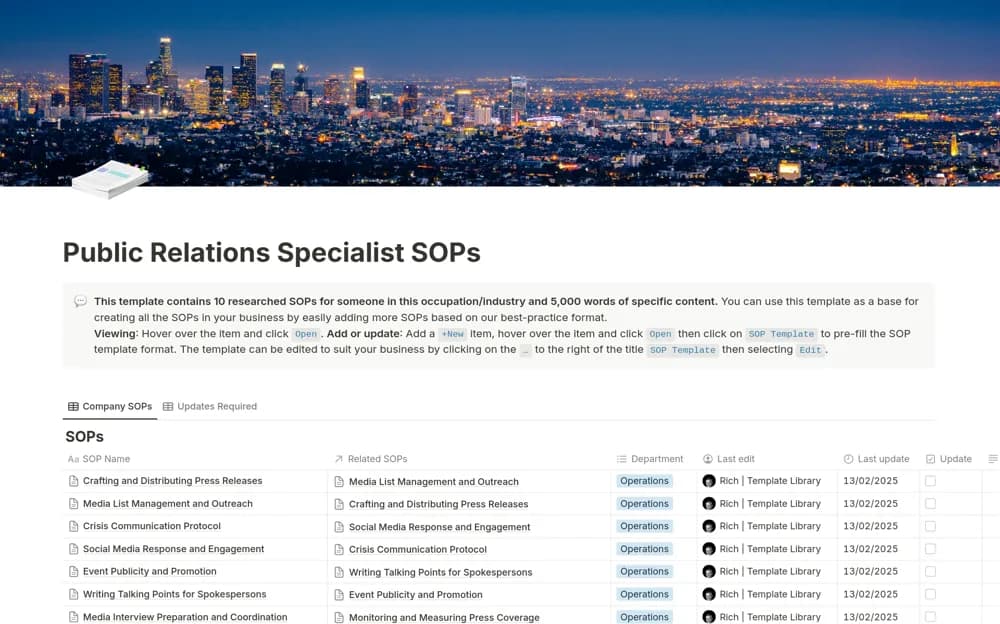 Paid
Public Relations Specialist SOPs
A PR procedure library covering press releases, media outreach, crisis communication, social responses, and publicity work.
 Free
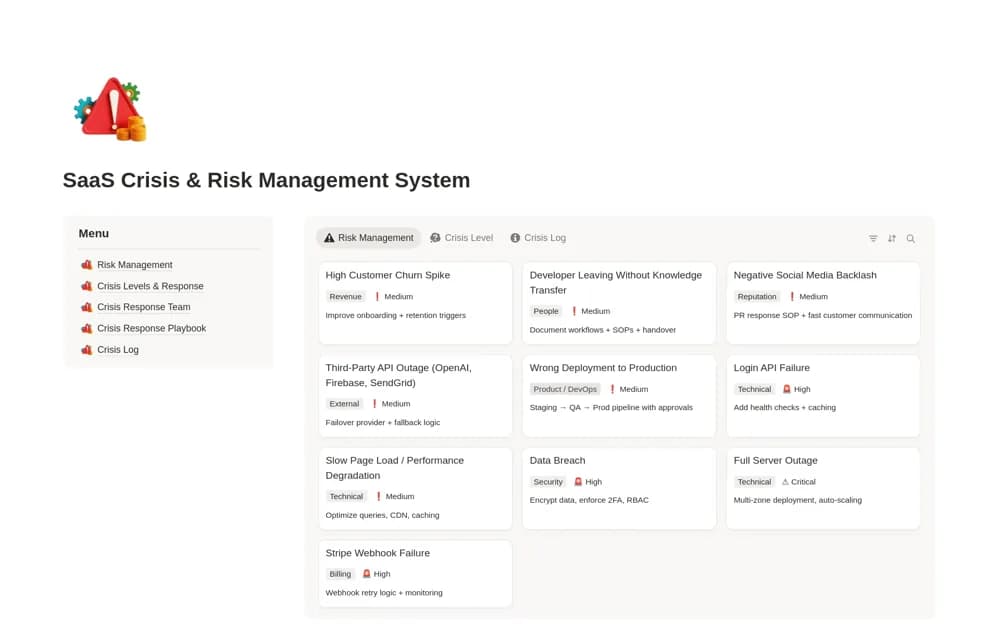
SaaS Crisis & Risk Management System
A SaaS risk workspace for threat records, severity levels, response roles, playbooks, and incident action logs.
A closer look at the collection
Which template fits your work?
Compare the purpose and included features before choosing a workspace.
Public Relations Specialist SOPs
Communications teams reviewing a starting set of public-relations procedures.
- Ten responsibility areas with purpose and scope
- Step-by-step PR procedures and cross-references
- Press-release, media-list, and crisis-communication guidance
SaaS Crisis & Risk Management System
SaaS operators reviewing how they document and coordinate operational risk.
- Risk identification and prioritization
- Crisis severity, ownership, and response playbooks
- A crisis log for actions and review context
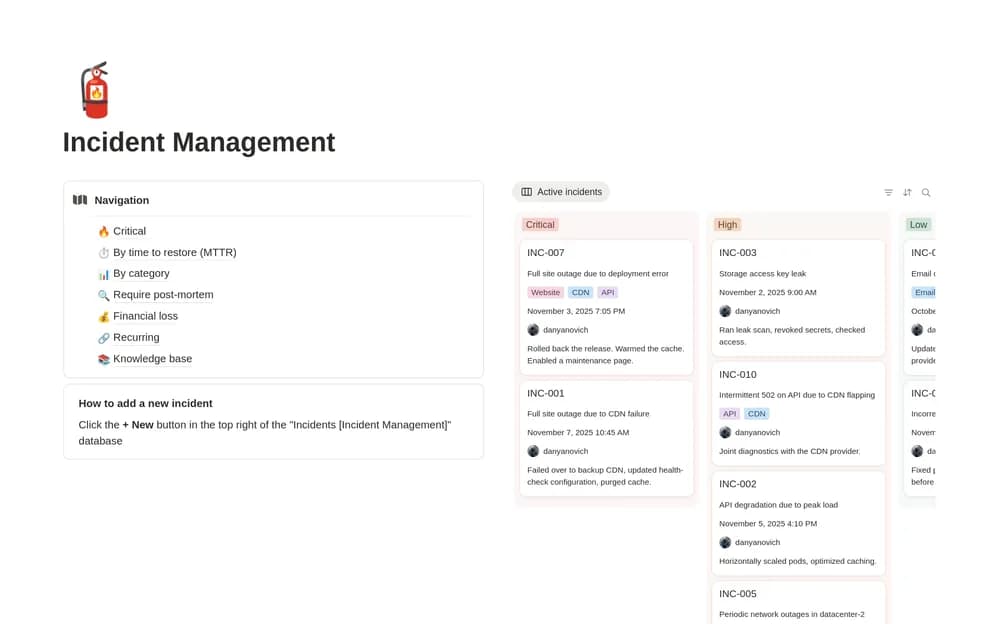
Incident Management
Teams documenting operational incidents.
- Keep incident records
- Organize a response timeline
- Track follow-up actions
At a glance
Crisis Management Notion templates compared
3 working templates from 3 creators: 2 free and 1 paid, with paid options from $29. Links last checked October 11, 2026.
| Template | Best for | Price | Creator |
|---|---|---|---|
| Public Relations Specialist SOPs | Communications teams reviewing a starting set of public-relations procedures. | $29 | SOPs |
| SaaS Crisis & Risk Management System | SaaS operators reviewing how they document and coordinate operational risk. | Free | Mr. Haque |
| Incident Management | Teams documenting operational incidents. | Free | danyanovich |
Choose something that fits
How to compare crisis management templates
Agree which situations activate the plan and who can make decisions. Keep important contacts current and provide an access route that does not depend entirely on one workspace being available. Distinguish approved communication from drafts. Test the plan with an appropriate exercise and record lessons. The template must fit your organization’s established response and escalation procedures.
A few things to look for
Clear escalation responsibilities
Current critical contacts
Approved response resources
About the directoryPut it into practice
Make the responsible people and current facts easy to find
Use the workspace to organize contacts, assigned responsibilities, approved updates, and a dated event log. Separate confirmed information from reports still being checked. Keep current communication channels and organizational procedures linked prominently. Review the record after an exercise or incident, with actions assigned to improve the process.
Every template in this collection
All 3 Crisis Management Notion templates (A–Z)
Jump straight to any listing in the collection.
Before you choose
Common questions
Can a crisis template replace our emergency procedures?+
No. A template can help document coordination, but response decisions must follow the appropriate organizational and emergency procedures. Test access and communication arrangements in advance, and do not rely on a single workspace as the only source of critical instructions.
What is the best crisis management Notion template?+
It depends on the job you need it to do. Good starting points in this collection include Public Relations Specialist SOPs (communications teams reviewing a starting set of public-relations procedures), SaaS Crisis & Risk Management System (saaS operators reviewing how they document and coordinate operational risk) and Incident Management (teams documenting operational incidents). Compare the included features below, then try your first choice with a week of real information before moving everything across.
Are there free templates in the crisis management collection?+
Yes. This collection currently includes 2 listings with a confirmed free creator offer, alongside 1 paid or freemium option. Use the Free filter to compare them. A free version can have different features from a creator’s paid upgrade, so check the original listing and current access terms before adding it to your workspace.