About Agent Follow-Up Tracker
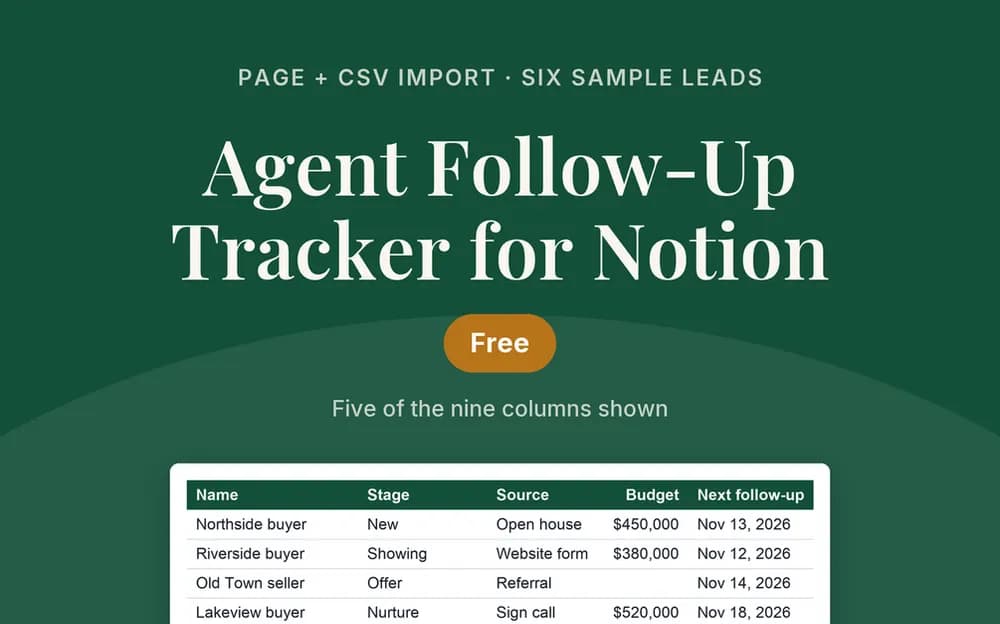
Track real estate leads in a simple Notion database with stage, source, area, budget, last contact, and the date of the next follow-up.
What’s included
- Leads database with stage and source
- Area and budget fields
- Last contact and next follow-up dates
- Six fictional sample leads
How to use it in practice
Import the CSV into Notion and delete the six sample leads. Add the buyers and sellers you are currently talking to, with their area and budget. Set a next follow-up date for each and sort by that date every morning. Update the last contact date after every call.
Set it up in your workspace
- Follow the original creator’s checkout or access instructions to obtain the Notion page. Open that page while signed in, then duplicate it into the workspace you want to use.
- Import the CSV into Notion and delete the six sample leads.
- Try one complete example before adding a large backlog. Check that its views and any calculations show what you expect, then replace the sample content with your own.
Who it suits and what to consider
Real estate agents who want a lightweight lead list before adopting a full CRM. The leads database arrives as a CSV import, and Gumroad asks for an email address to deliver it. The creator sells a fuller CRM for solo agents separately.