About Connected Workspace
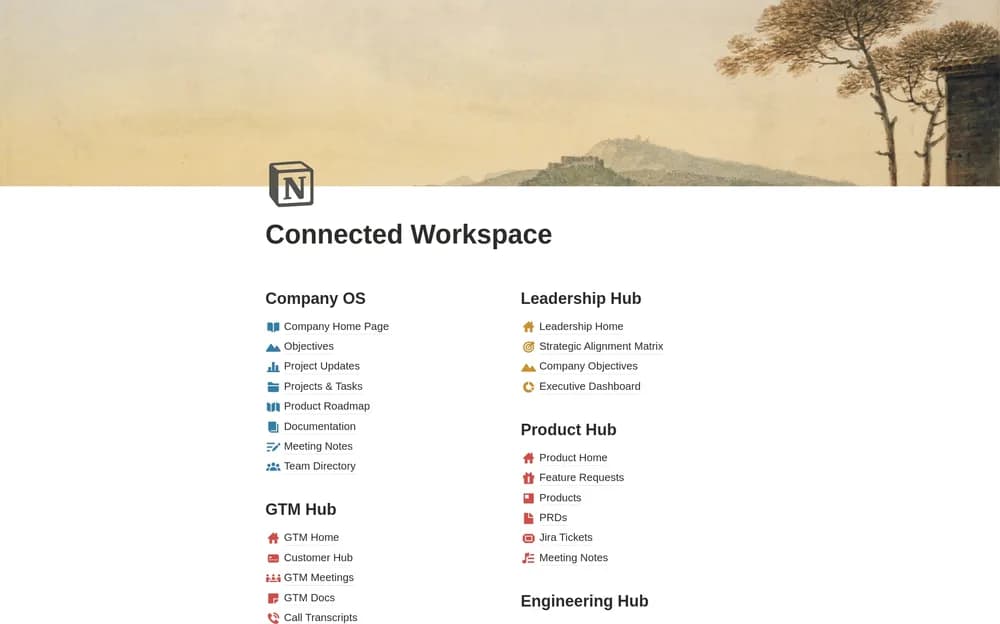
A connected workspace is most helpful when people know which page holds the current information. This Notion-made template provides a broad starting structure. Choose owners for the important sections and test navigation with someone who did not build the workspace.
What’s included
- Team hubs linked to shared core databases
- Example structures for teams such as marketing, product, GTM, and leadership
- Linked views intended to keep shared records consistent across hubs
How to use it in practice
Set up one team hub and add a few shared records before creating the rest. Check how an update appears from different views and decide which database owns each kind of information. Test navigation with a colleague who did not build the workspace. Assign section owners and review permissions before widening access.
Set it up in your workspace
- Open the original Notion Marketplace listing and add the template to your chosen workspace while signed in. Keep its example records until you understand how the pages connect.
- Set up a small team area and add current information. Ask a colleague to find a policy or active project without guidance.
- Try one complete example before adding a large backlog. Check that its views and any calculations show what you expect, then replace the sample content with your own.
Who it suits and what to consider
Teams setting up a central company workspace. Useful for companies reducing duplicated information across team spaces. Shared views need a clear source of truth and an access model that matches how the company works.