 Free
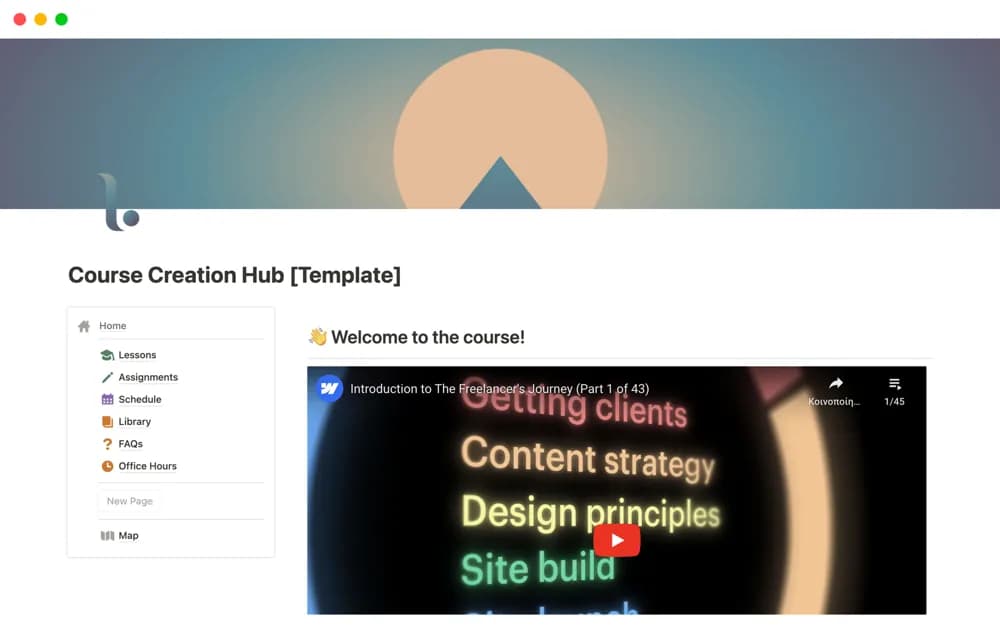
Course Creation Hub
A course-building workspace for planning, creating, and organizing the delivery of an online course in Notion.
Give learners a clear route through a course. Browse Notion course-site templates for syllabi, modules, materials, assignments, schedules, and knowing what to do next.
Showing 1–4 of 4 templates
FreeA course-building workspace for planning, creating, and organizing the delivery of an online course in Notion.
 Free
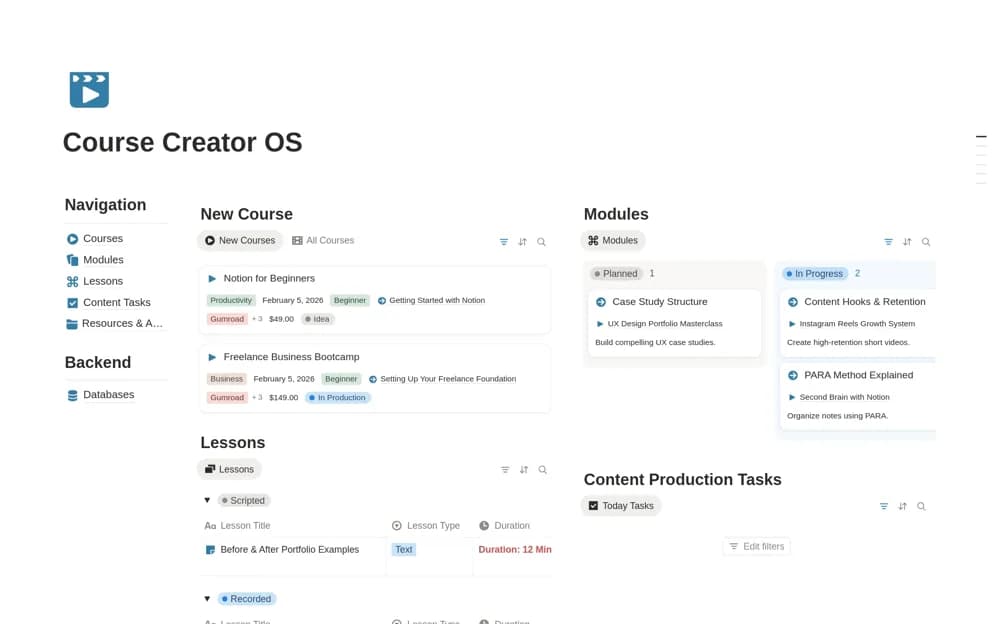
A lightweight course workspace for organizing courses, modules, lessons, production tasks, and resources, with a clear view of material still needing recording, editing, or upload.
 Paid
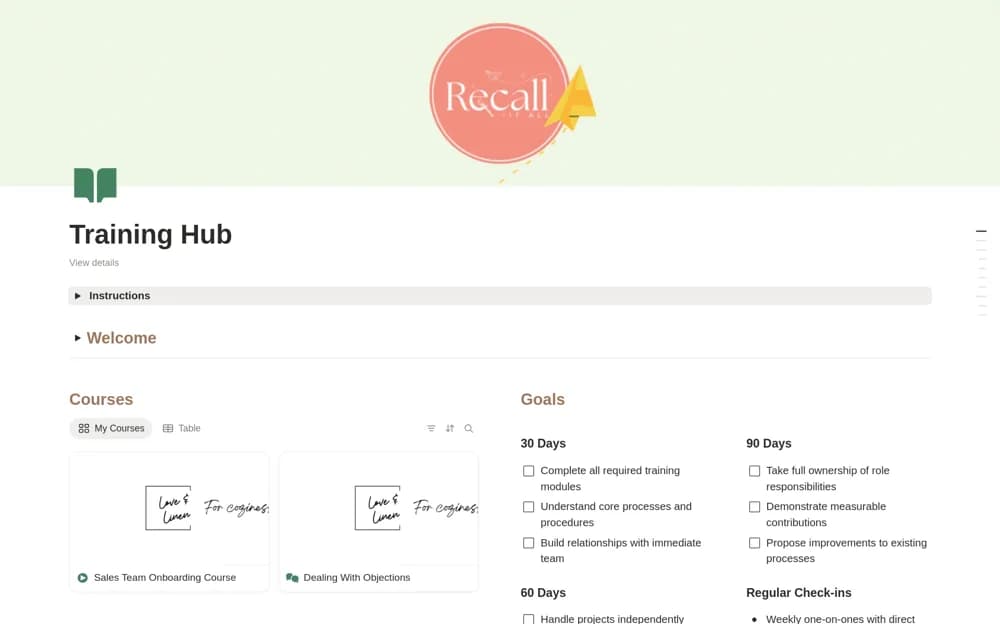
A new-hire learning hub with courses, lesson materials, reusable resources, and 30-, 60-, and 90-day goals.
 Paid
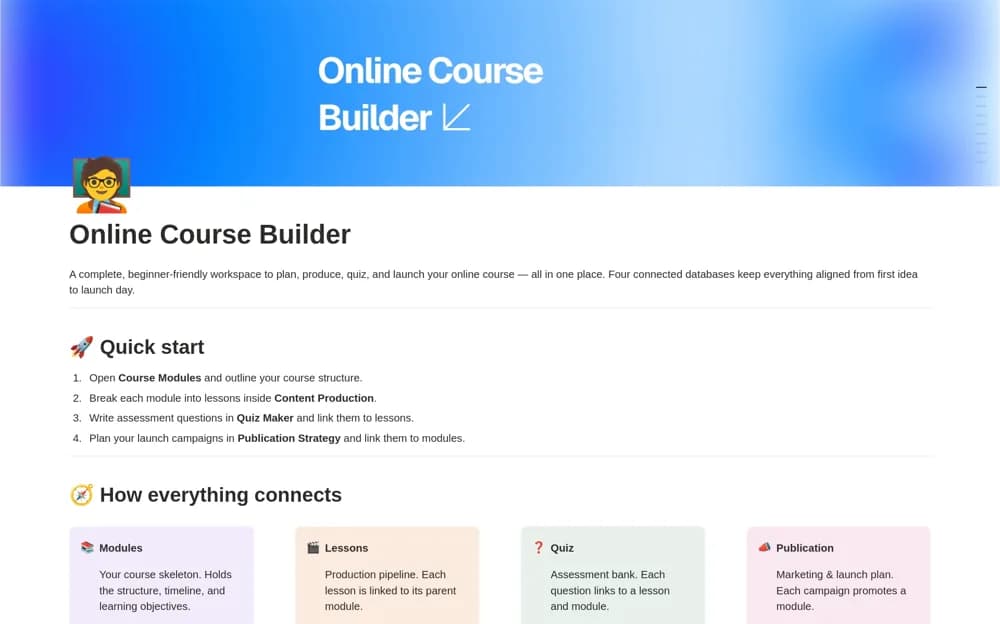
A paid course-production workspace connecting modules, lessons, and a quiz bank, with structured lesson pages for objectives, scripts, shot lists, assets, and completion checks.
Compare the purpose and included features before choosing a workspace.
Managers building a repeatable onboarding and internal-training experience.
Educators and course creators preparing a shared learning resource.
Solo creators building a first course or keeping several digital learning products organized.
4 working templates from 4 creators: 2 free and 2 paid, with paid options from $9.98 to $14.99. Links last checked October 11, 2026.
| Template | Best for | Price | Creator |
|---|---|---|---|
| Employee Onboarding Team Training Course Manager | Managers building a repeatable onboarding and internal-training experience. | $9.98 | Lez |
| Course Creation Hub | Educators and course creators preparing a shared learning resource. | Free | Gerrard Lipscombe |
| Course Creator OS | Plan, Build & Launch | Solo creators building a first course or keeping several digital learning products organized. | Free | heyismail |
| Online Course Builder | Course creators who need detailed production and assessment preparation rather than only an outline. | $14.99 | Hafidz Noor Fauzi |
Organize the course in the order a learner will encounter it, with clear expectations for each module. Link the current materials and explain where work is submitted or discussed. Test access using a learner’s permissions and check the page on mobile. Keep private learner records separate from shared teaching resources, and date changes that affect deadlines or requirements.
A clear learner path
Accessible course materials
Visible requirements and dates
About the directoryPut the course purpose, intended audience, lesson sequence, and access instructions in a clear order. Link resources from the lesson that uses them and distinguish required work from optional reading. Follow the published route without your editing permissions, checking that learners can find the next lesson and understand how to ask a question.
Jump straight to any listing in the collection.
A page layout may provide none of those services. Check the specific creator's instructions for delivery, access, payment collection, and progress tracking. Confirm the whole learner journey before treating a published lesson page as a complete course platform.
It depends on the job you need it to do. Good starting points in this collection include Employee Onboarding Team Training Course Manager (managers building a repeatable onboarding and internal-training experience), Course Creation Hub (educators and course creators preparing a shared learning resource), Course Creator OS | Plan and Build & Launch (solo creators building a first course or keeping several digital learning products organized). Compare the included features below, then try your first choice with a week of real information before moving everything across.
Yes. This collection currently includes 2 listings with a confirmed free creator offer, alongside 2 paid or freemium options. Use the Free filter to compare them. A free version can have different features from a creator’s paid upgrade, so check the original listing and current access terms before adding it to your workspace.