 Free
Life & everyday
Notes & knowledge Notion templates
Keep notes, saved links, and reference material findable. Browse Notion templates for a personal notebook or a shared library of useful information.
Showing 19–22 of 22 templates
Free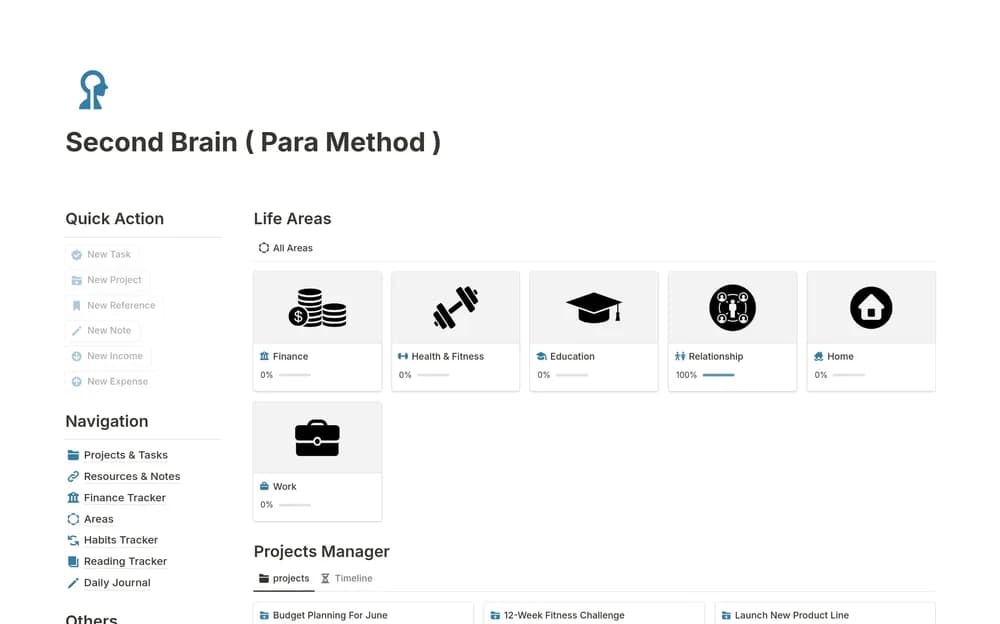 Free
 Free
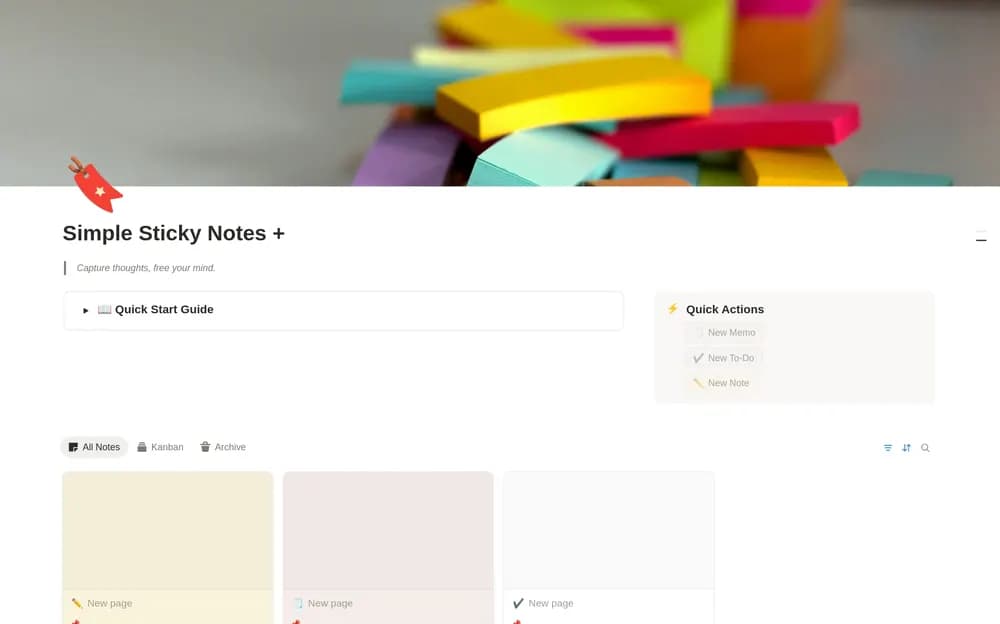
Simple Sticky Notes Plus
Capture memos, tasks, and quick notes as color-coded sticky notes in Notion using buttons, then pin key notes and archive finished ones in a click.
 Free
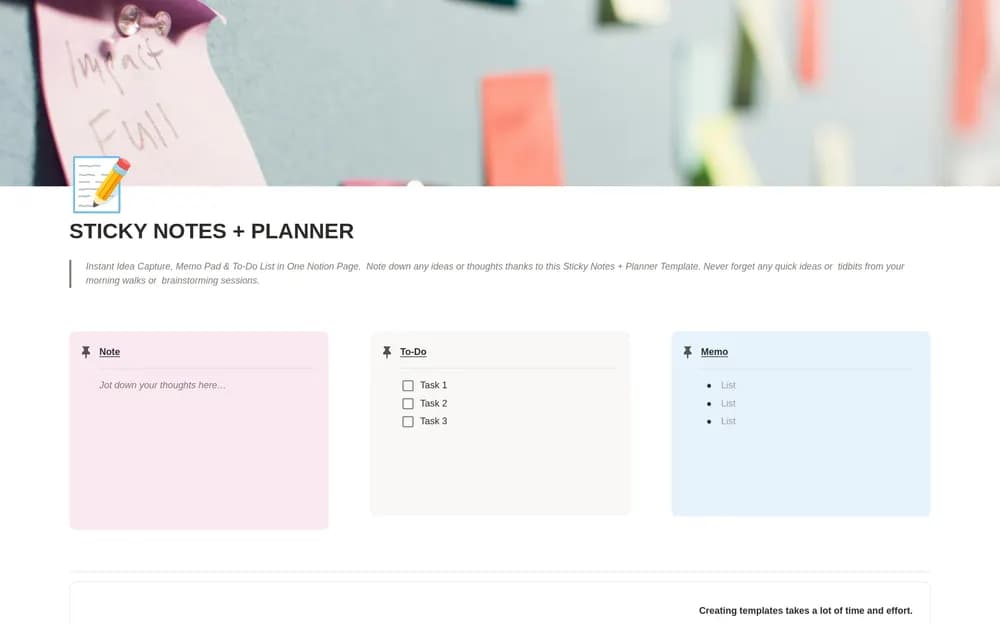
Sticky Notes & Planner
Catch passing thoughts on a Notion page that combines a sticky-notes board for ideas, a memo pad for short lists, and a simple to-do checklist.
A closer look at the collection
Which template fits your work?
Compare the purpose and included features before choosing a workspace.
Aesthetic Notes & Notebooks
Students, writers, and professionals who want one attractive notes system for journaling, classes, and meetings.
- Gallery of 8 starter notebooks with individual designs and colors
- Journal, Cornell, outline, and meeting note templates
- Notebook pages with a list, status board, and monthly entry calendar
- Linked notes and notebooks databases with note-count rollups
Notion Bookmark Manager
People collecting references for work, study, or personal interests.
- Collect useful links
- Group bookmarks into collections
- Organize with tags
Notion Idea Manager
People collecting ideas for projects or creative work.
- Capture loose ideas
- Group ideas by topic
- Return to promising thoughts
At a glance
Notes & knowledge Notion templates compared
22 working templates from 19 creators: 21 free and 1 paid. Links last checked November 22, 2026.
| Template | Best for | Price | Creator |
|---|---|---|---|
| Aesthetic Notes & Notebooks | Students, writers, and professionals who want one attractive notes system for journaling, classes, and meetings. | Free | Mindful Setups |
| Notion Bookmark Manager | People collecting references for work, study, or personal interests. | Free | PathPages |
| Notion Idea Manager | People collecting ideas for projects or creative work. | Free | PathPages |
| Notion Notebook Manager | People with useful notes spread across several places. | Free | PathPages |
| Notion Notes, Ideas & Research Hub | People gathering information for active work or learning. | Free | OfficialNotionNaija |
| Simple Sticky Notes Plus | People who like the feel of sticky notes but want Notion to handle the sorting and cleanup. | Free | Simply Useful |
| Sticky Notes & Planner | Students and professionals who want a single always-open tab for ideas and small tasks. | Free | Aviral Sharma |
| PARA Dashboard | People who want a clear organizing principle for notes and projects. | Free | Easlo |
Choose something that fits
How to compare notes & knowledge templates
Choose a structure around how you expect to look for information later. A few well-named collections often work better than a large tagging scheme. Add a short note about why you saved a resource while the reason is still fresh. Review the archive occasionally so outdated material does not crowd out useful work.
A few things to look for
Quick capture
Clear collections
Context for saved information
About the directoryPut it into practice
Organize around the questions you will ask later
Keep capture easy and add context about why a note or resource matters. Use a small set of collections and meaningful links before expanding the tagging scheme. Review important material while doing real work and archive outdated references so the library stays useful rather than merely growing.
Every template in this collection
All 22 Notes & knowledge Notion templates (A–Z)
Jump straight to any listing in the collection.
- Aesthetic Cornell NotesFree
- Aesthetic Notes & NotebooksFree
- AI Skills Library for Product & Design TeamsFree
- Basic Engineering WikiFree
- Brainstorm & Pomodoro RoomFree
- CODE Method: Second Brain & Knowledge OSFree
- Connect the DotsFree
- Countries DatabaseFree
- Image InboxFree
- Notion Bookmark ManagerFree
- Notion Idea ManagerFree
- Notion Notebook ManagerFree
- Notion Notes, Ideas & Research HubFree
- Notion Student's IndexFree
- PARA DashboardFree
- Personal Wiki OS: Second Brain & ProductivityFree
- Read Later LibraryFree
- Second Brain 3.5Paid
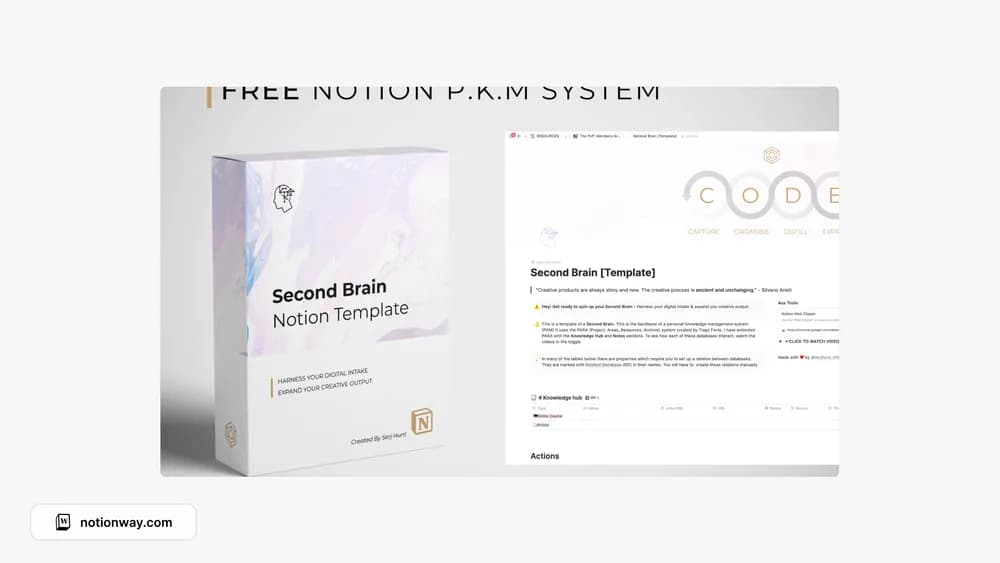
- Second Brain Notion TemplateFree
- Second Brain OSFree
- Simple Sticky Notes PlusFree
- Sticky Notes & PlannerFree
Before you choose
Common questions
How many tags should a knowledge library have?+
Start with a few you actually use to retrieve information. Add another when a repeated search need justifies it. A large unused taxonomy can make saving and reviewing material harder.
What is the best notes & knowledge Notion template?+
It depends on the job you need it to do. Good starting points in this collection include Aesthetic Notes & Notebooks (students, writers, and professionals who want one attractive notes system for journaling, classes, and meetings), Notion Bookmark Manager (people collecting references for work, study, or personal interests) and Notion Idea Manager (people collecting ideas for projects or creative work). Compare the included features below, then try your first choice with a week of real information before moving everything across.
Are there free templates in the notes & knowledge collection?+
Yes. This collection currently includes 21 listings with a confirmed free creator offer, alongside 1 paid or freemium option. Use the Free filter to compare them. A free version can have different features from a creator’s paid upgrade, so check the original listing and current access terms before adding it to your workspace.